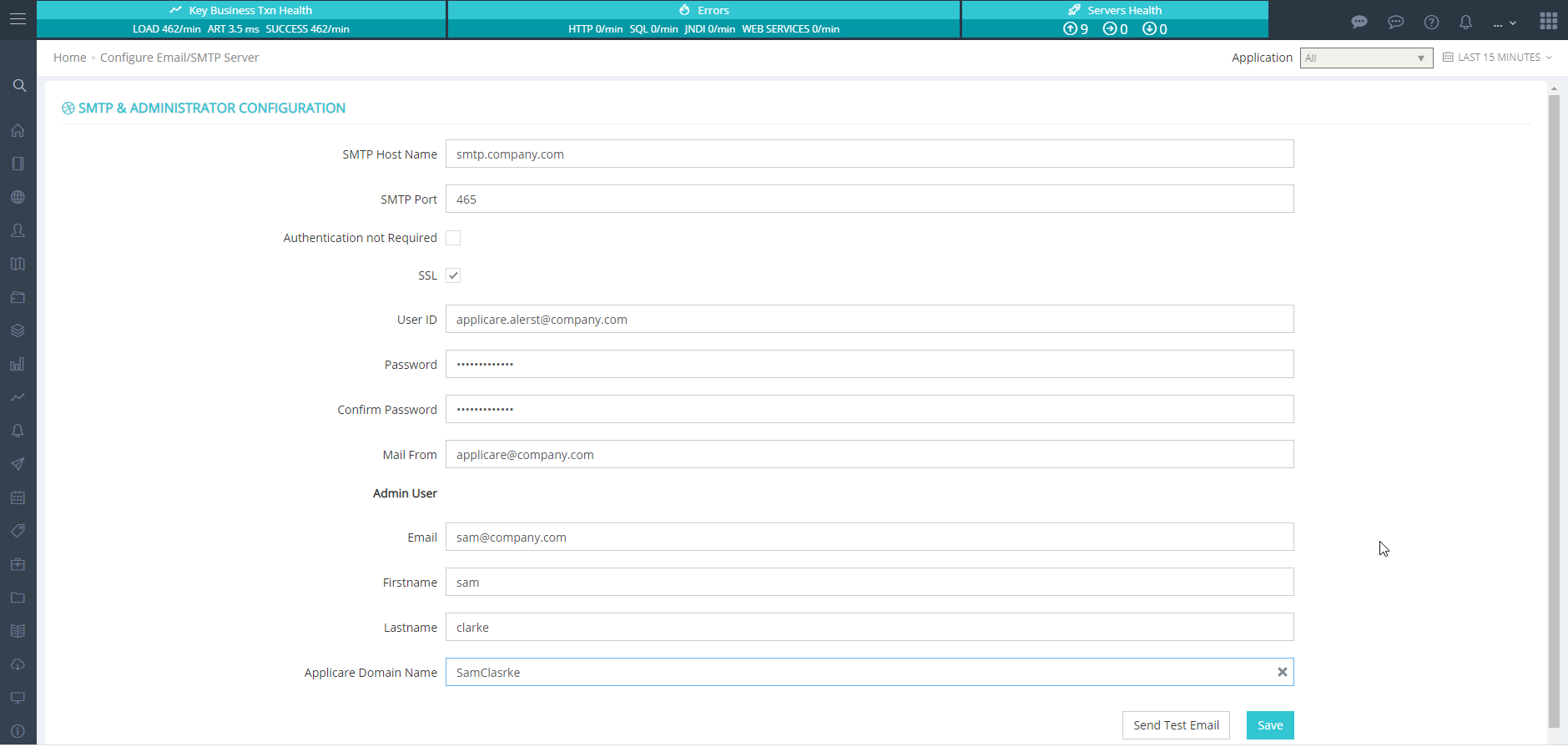
To start with Applicare, You'll need to update the default admin user password and configure the SMTP server settings.
To Change the admin Password
Go to Configuration -> User Management -> Applicare Authentication and choose "edit" for the 'admin' user.
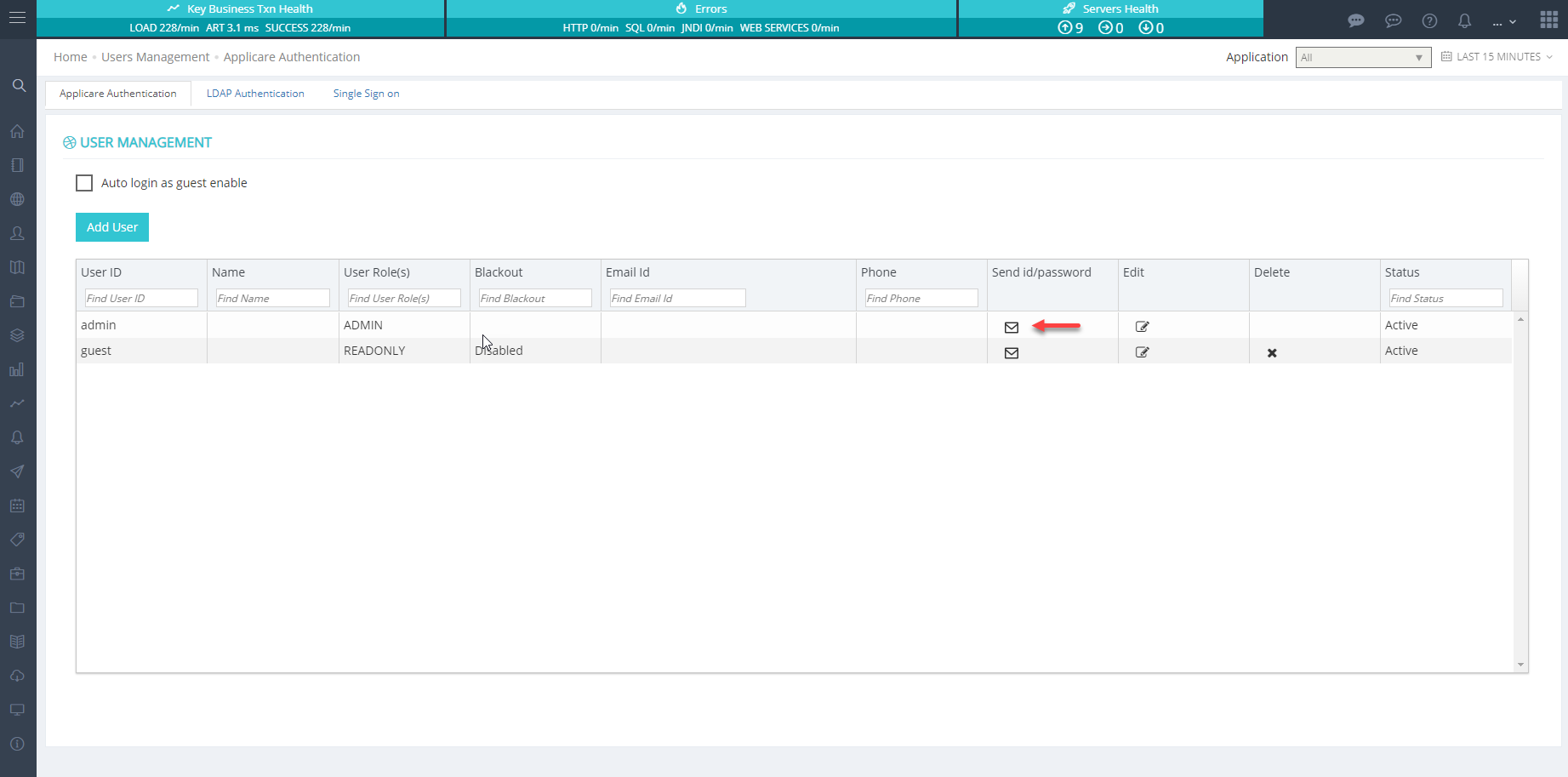
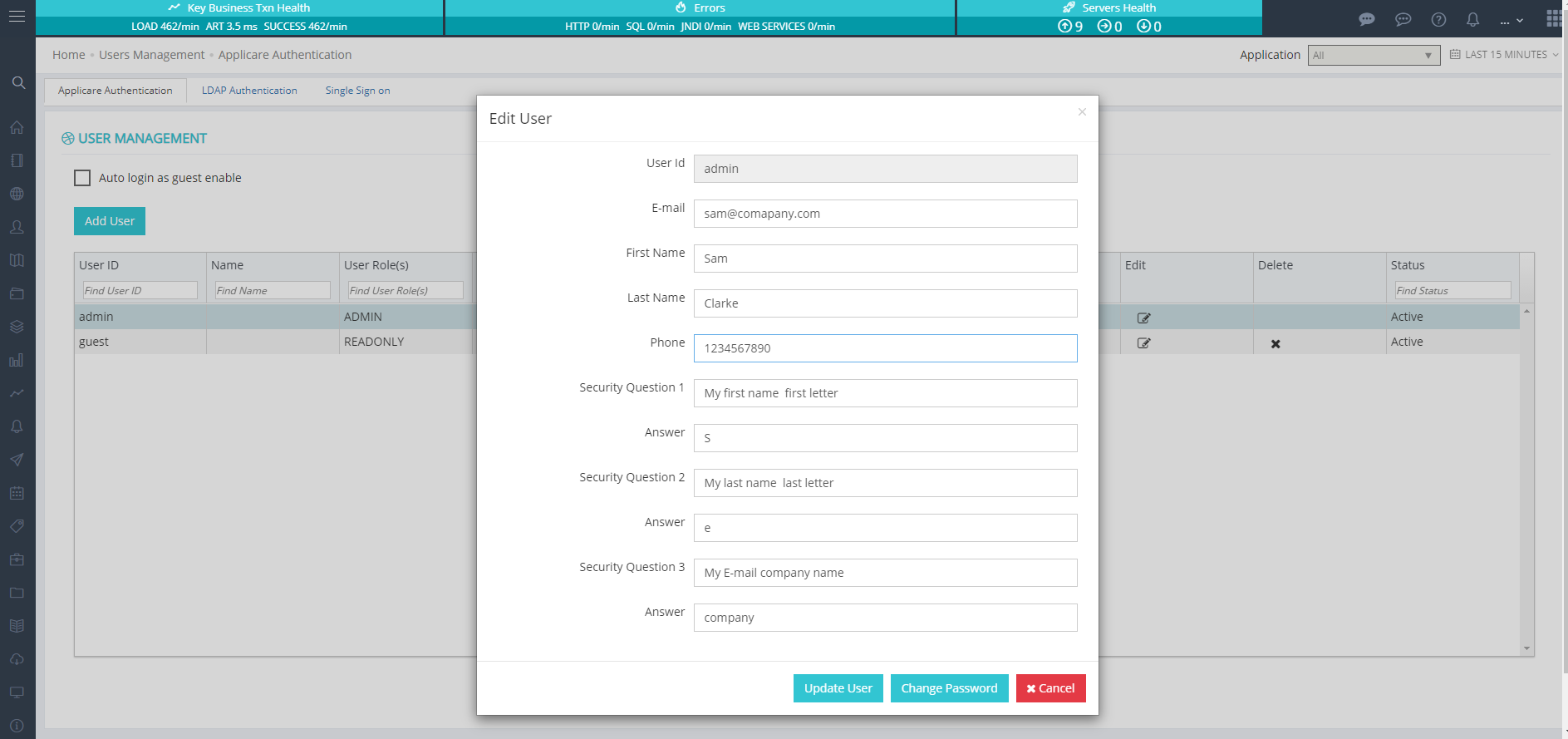
In the edit user details section, you can update the password along with other user information.
SMTP Parameters
This tab lets you set up the SMTP server settings. The Admin User email is where all alerts are sent, so choose this address carefully.