Overview
UEM IP translation configures the source of request that reach the application on the app server.
Configuration
Specify on the IP range, select country and state, enter the city name, and then click the save button to apply the configuration.

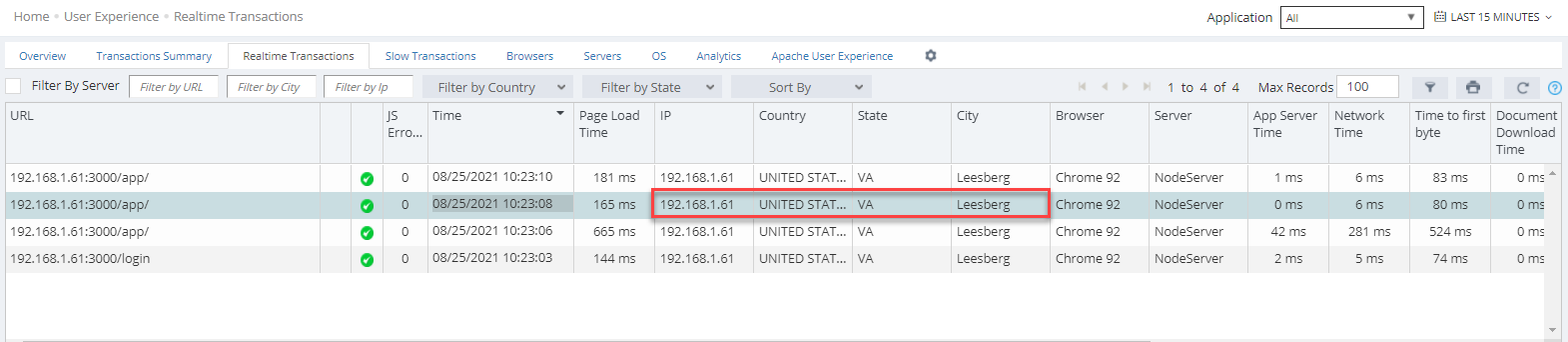
After configuring and saving, navigate to User Experience-> Realtime Transactions to view the transaction data associated country, state, and city.