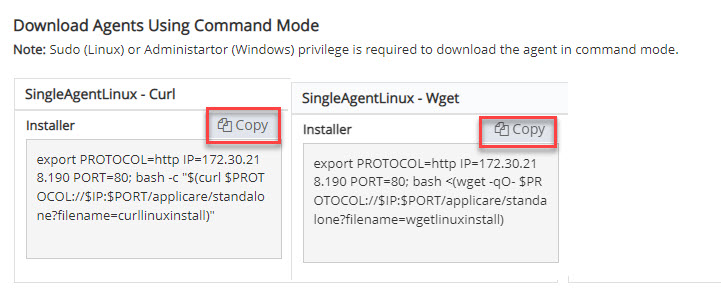
SingleAgent Installation for Appserver using command Mode for Linux

1. Log in to Applicare console, Navigate to Download Agents screen.

2. On the machine where the agent will be deployed. If Wget is installed, execute the Wget Installer command. If Curl is installed, Use the Curl Installer command instead.

Screenshot 1 — SingleAgent Installation for Appserver using command Mode for Linux

3. Enter n to prevent the SingleAgent from starting Automatically.

Monitoring with Applicare

Was this article helpful?

Votes and follows are kept by Zendesk, so they need a Help Center account. These buttons open this article there.

Opens Zendesk · needs internet and sign-in

Still stuck? Contact support