Login to Applicare controller and navigate to the Server Analyzer menu to view the details.
Dashboard
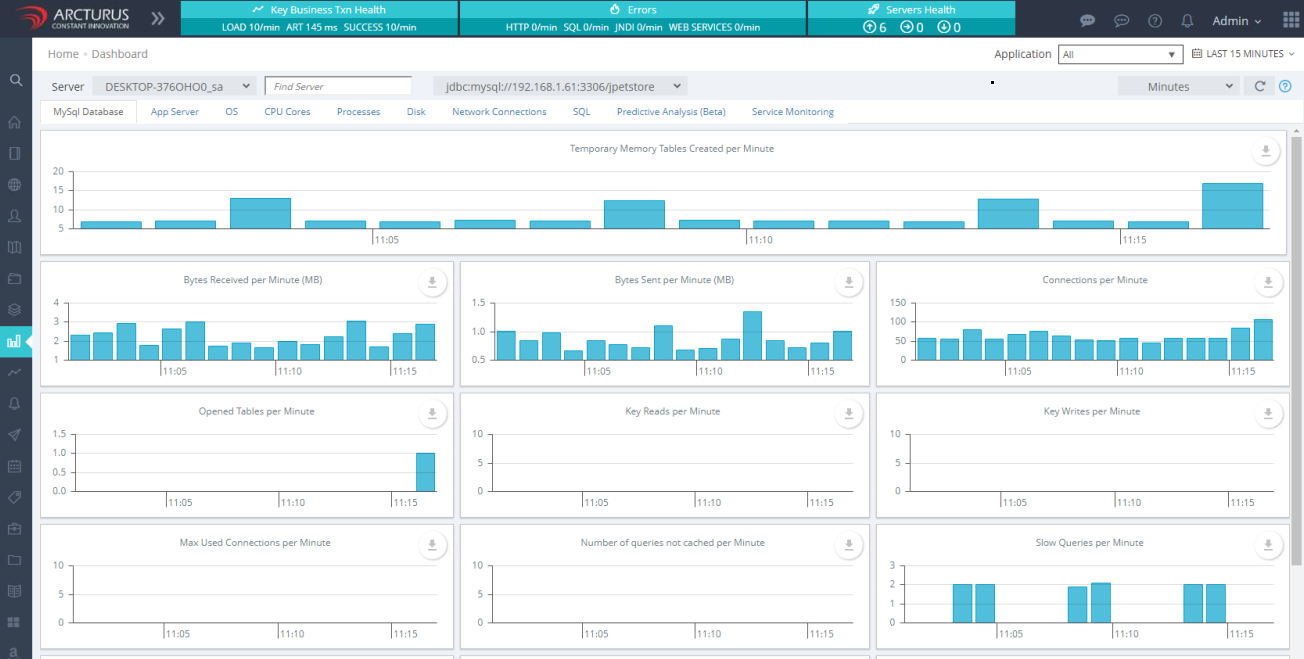
Database performance metrics assist in monitoring and optimizing your database for business needs. These metrics are calculated for the entire server and are not limited to the specific database indicated in the JDBC URL.
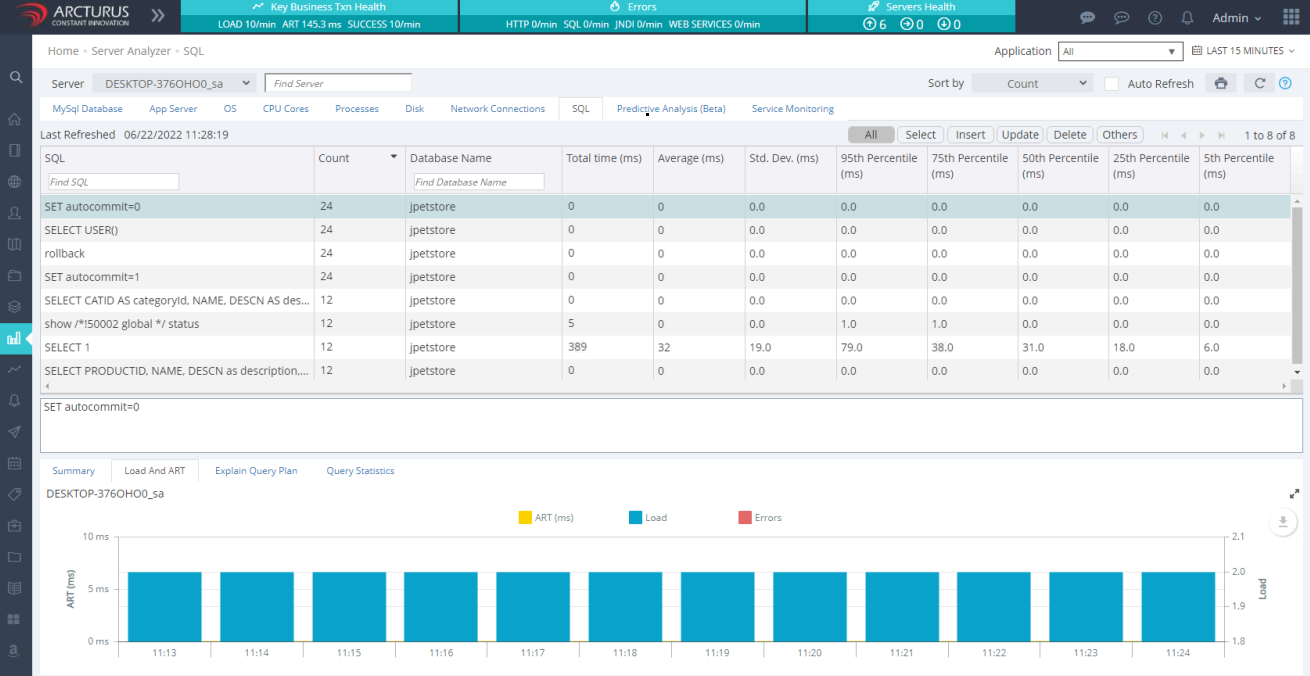
SQL
SQL Statement Profiling shows the performance details of your database queries.It helps you identify which statement are slow, making it easier to diagnose and fix performance issues or SQL/s. You'll get detailed stats, including the database name, query count, average time and various percentile.
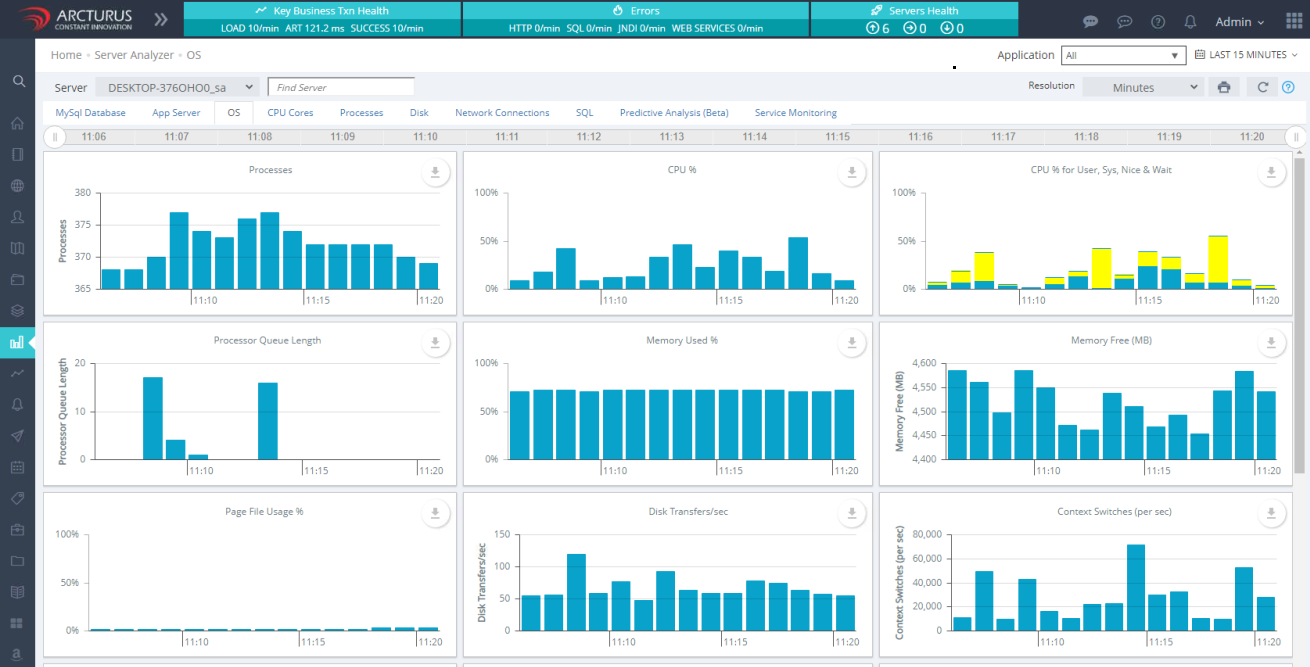
OS
This view offers a quick and easy overview of your physical server's/VM's performance including metrics such as the number of processes, context switches, CPU Usage, memory, storage performance and etc.
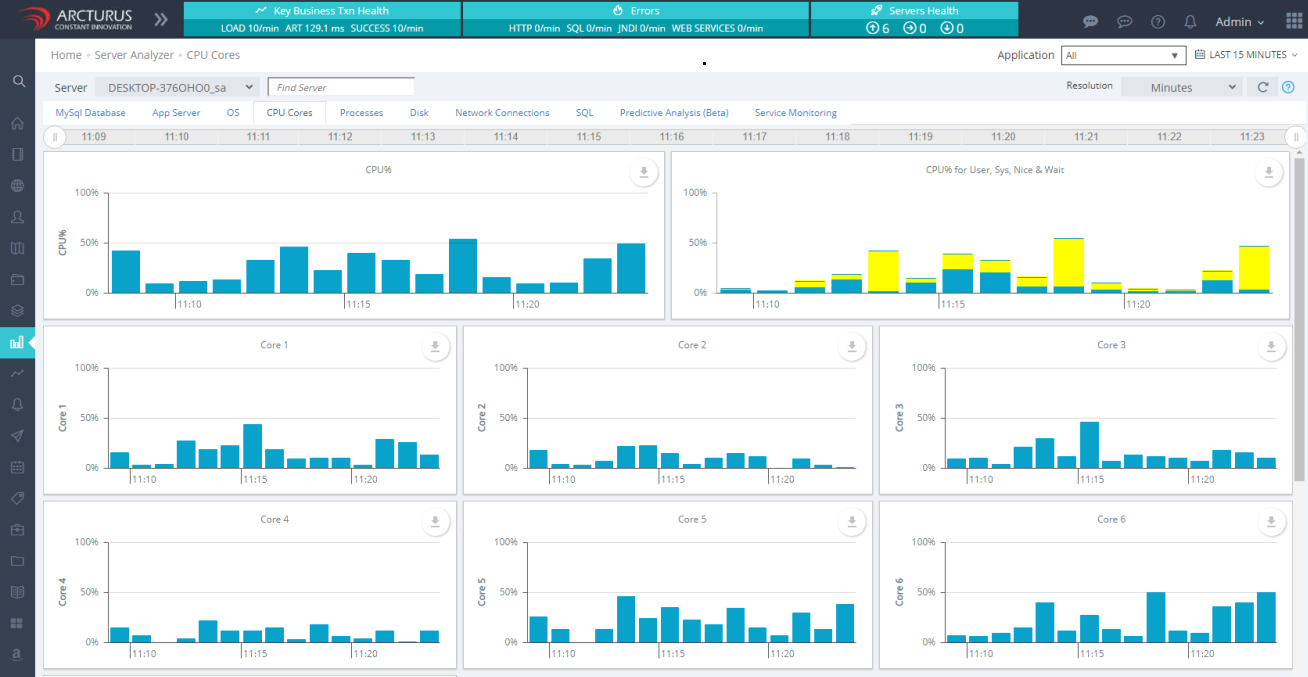
CPU CORE Analyzer
This view offers an overview of the overall CPU performance along with detailed information for each individual CPU core.
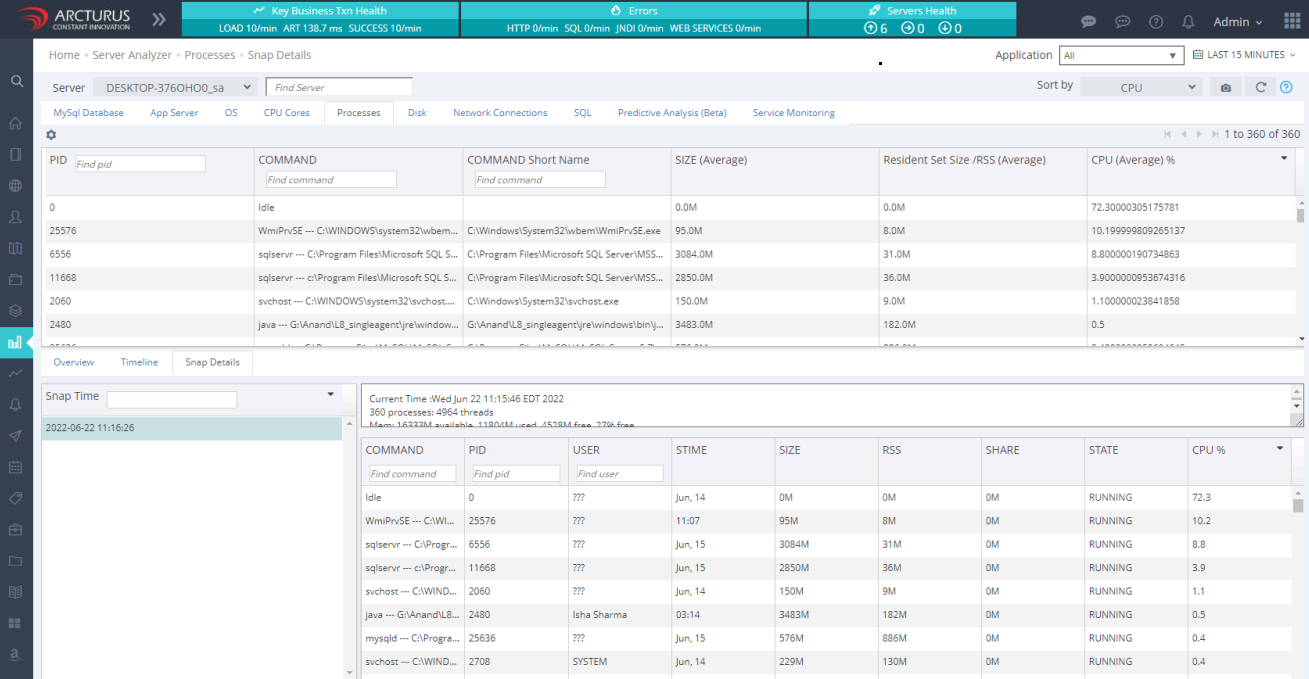
Processes
This view presents organized performance stats for CPU, memory and running processes. It includes historical snapshots of processes at specific times, showing the resources they were consuming. By default, Applicare takes these snapshot in every 10 minutes, but you can adjust the interval as needed.
Disk
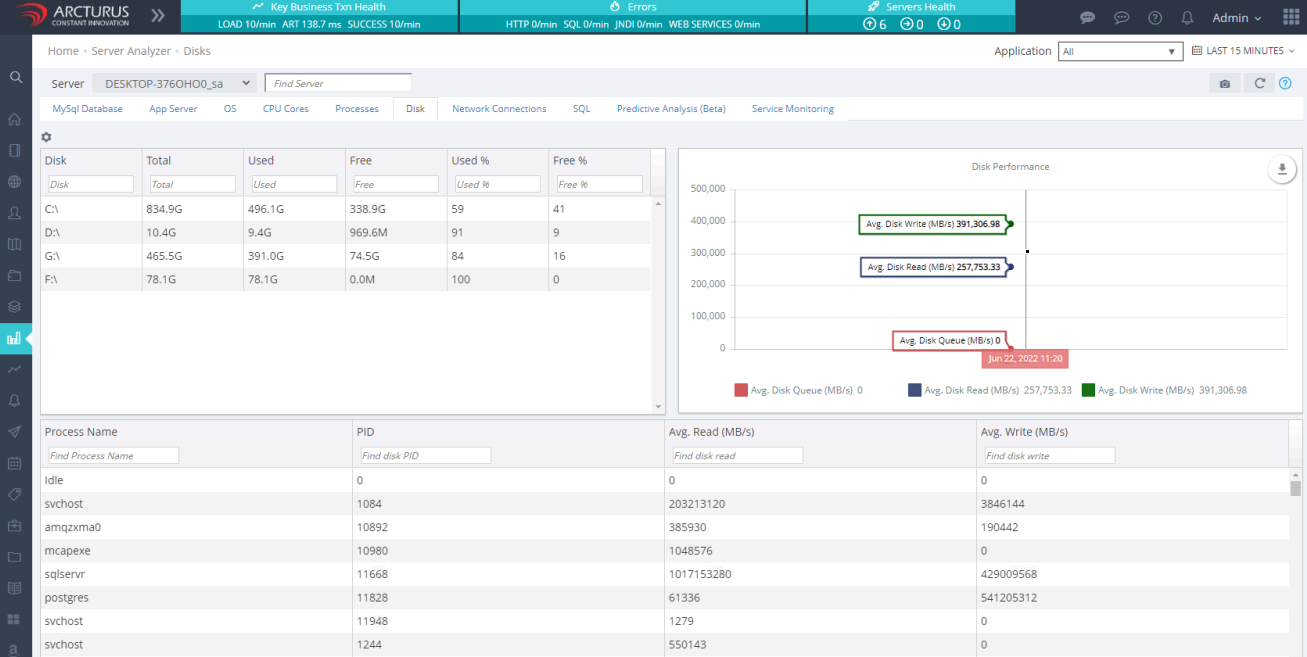
This view shows the disk usage for each process, detailing how much disk space each one is accessing.
Network Connections
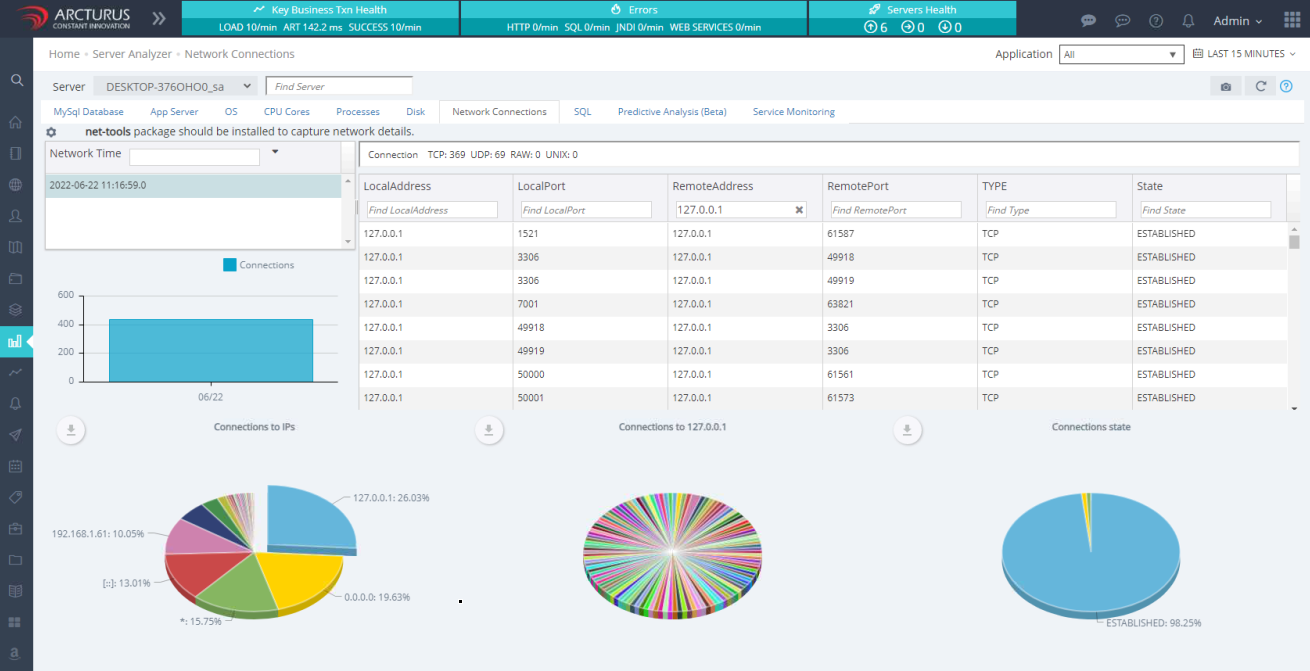
This view provides details on TCP, UDP, RAW, and UNIX connections.
SQL Report
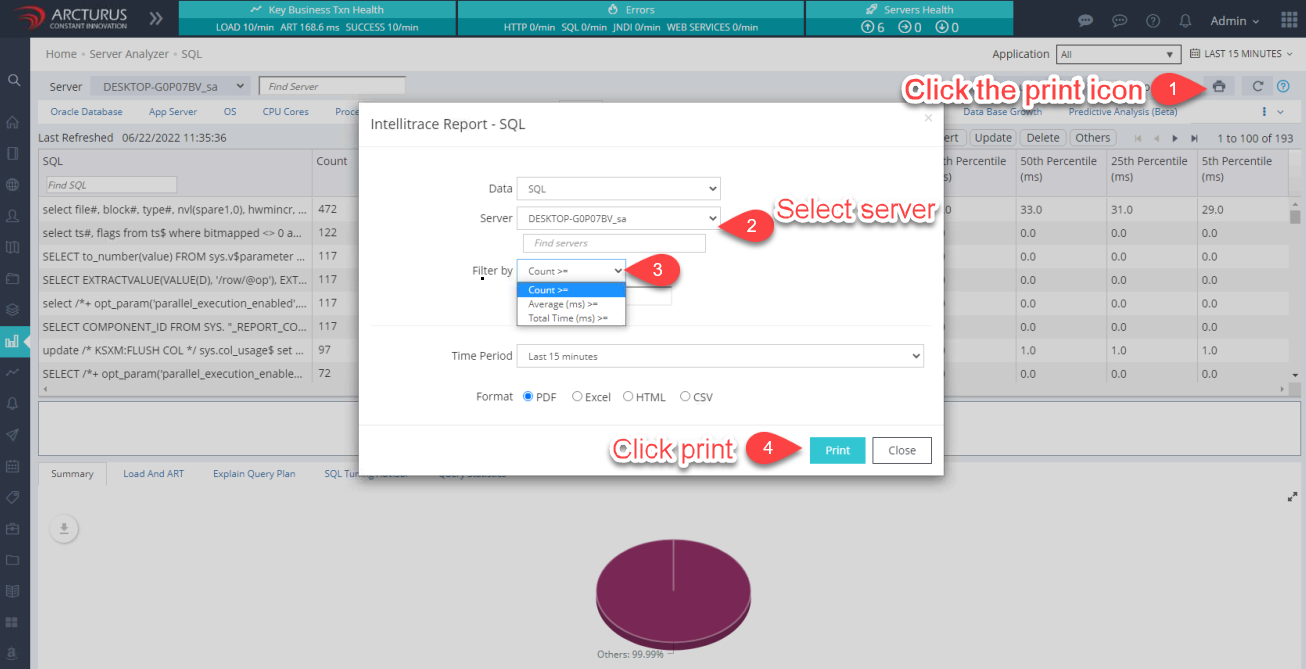
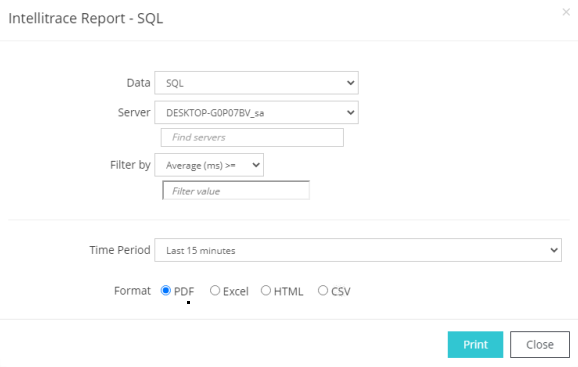
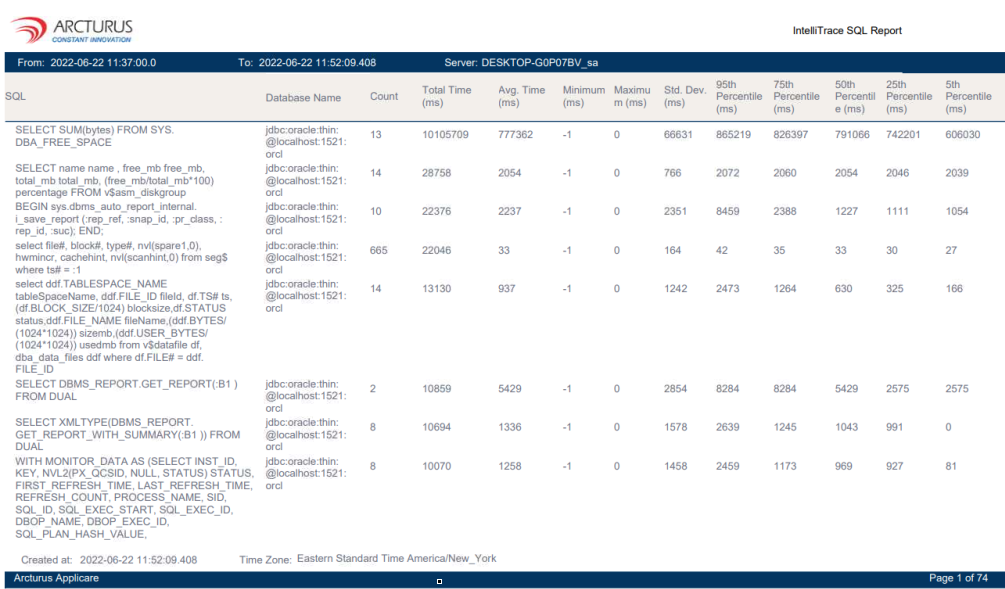
To download a report of SQL statements, click the print icon on the SQL screen within the server Analyzer menu.