Key Performance Indicators
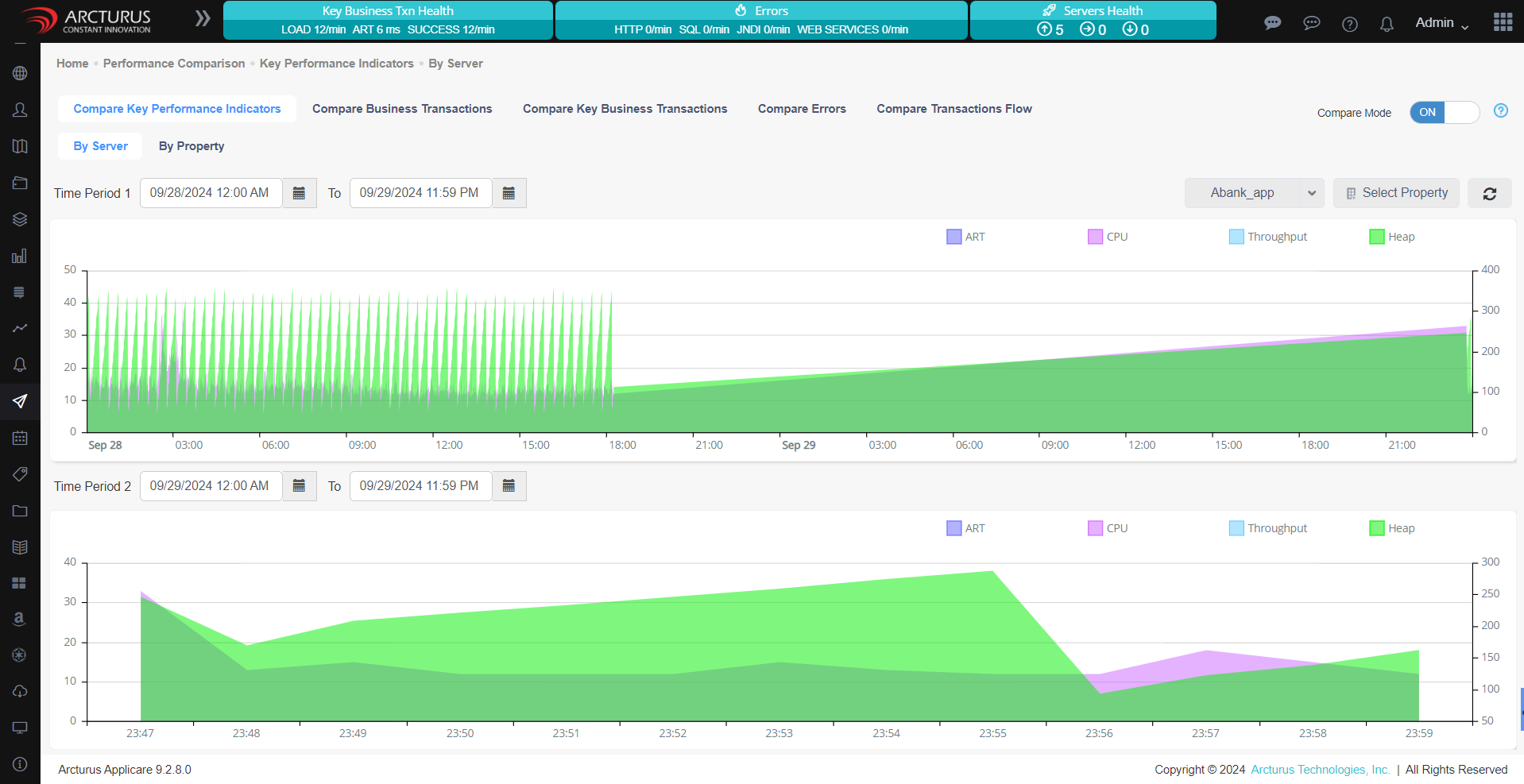
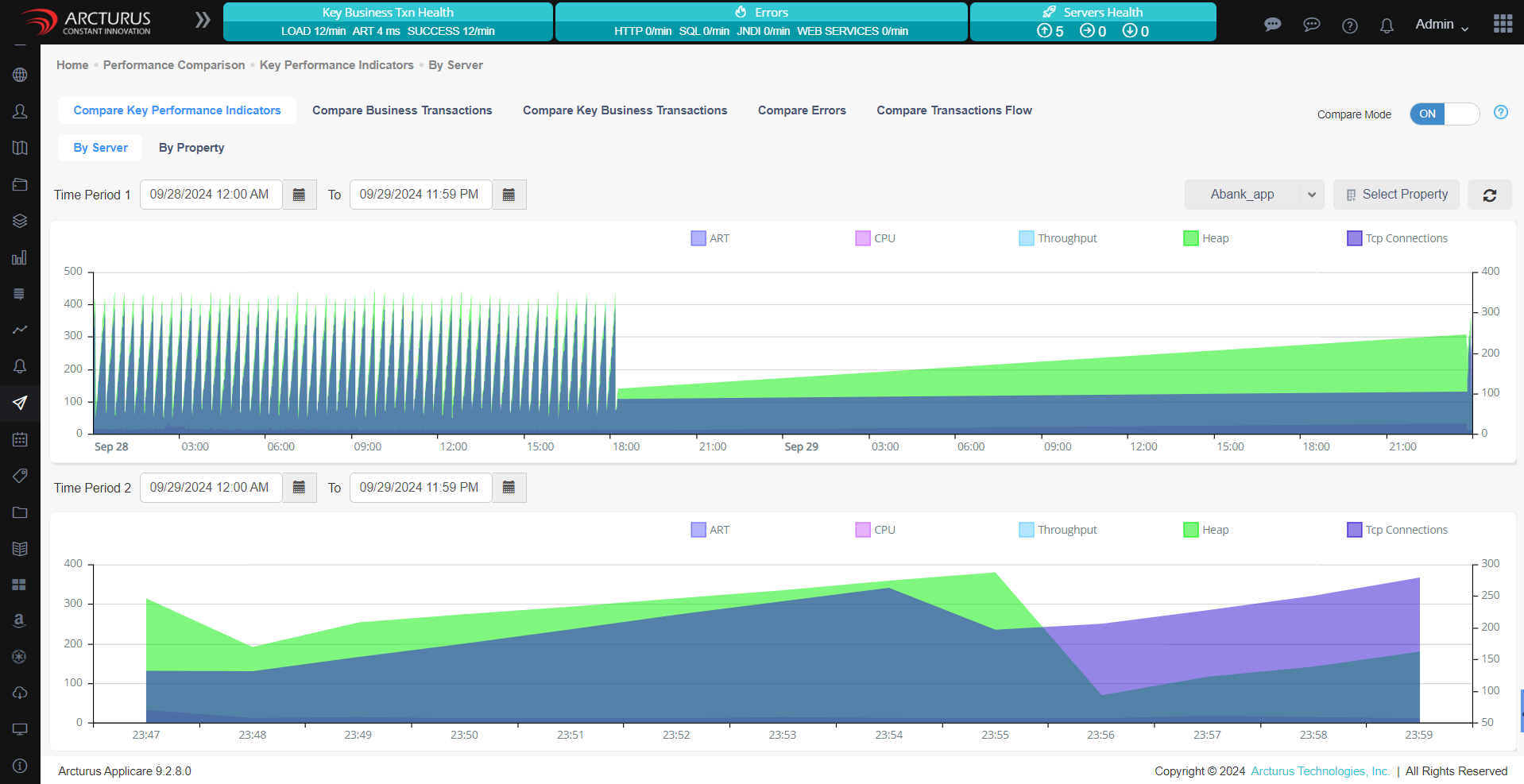
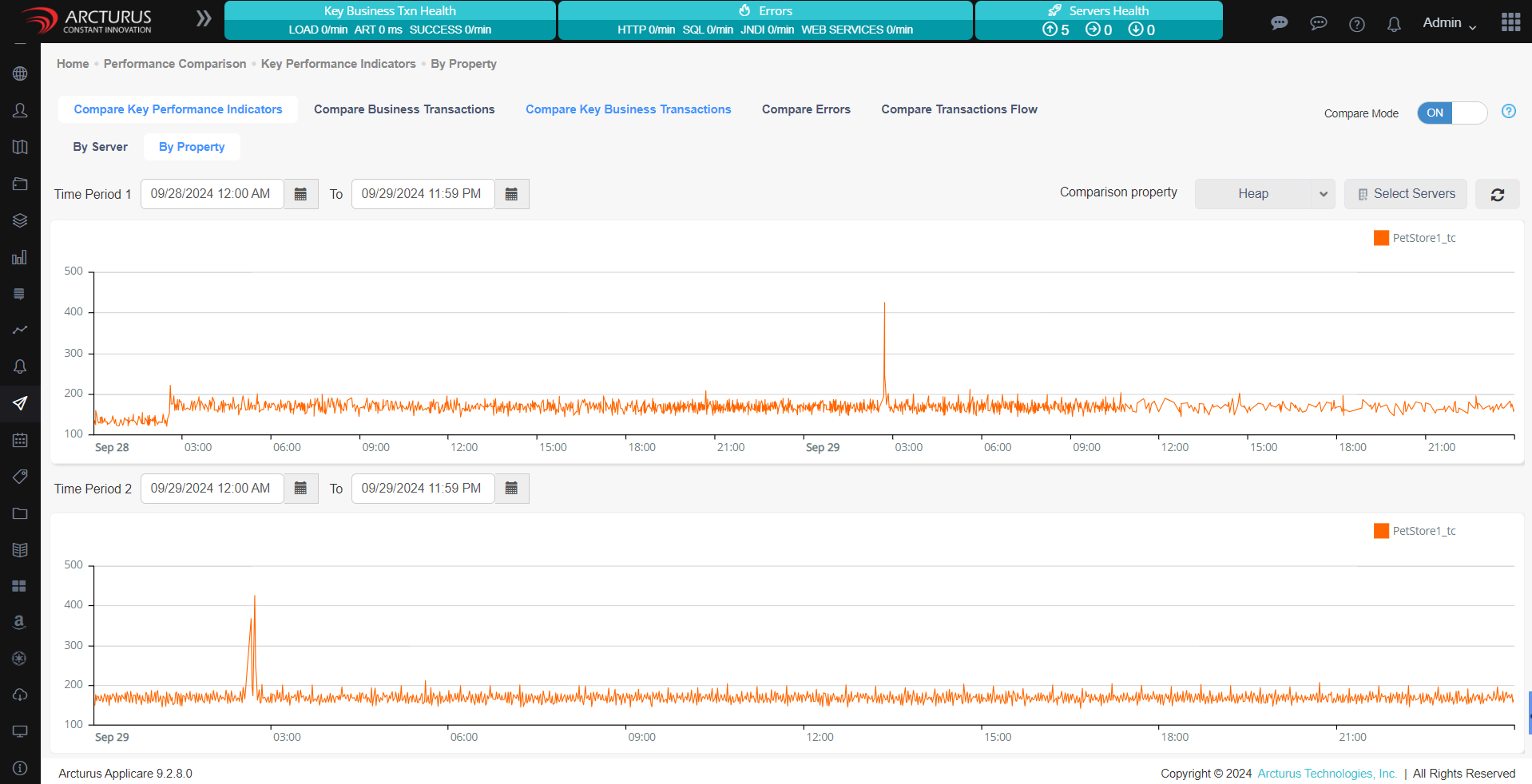
Performance Comparison allows of various performance metrics such as (Heap, CPU, Throughput, Average Response Time etc.) between two time periods. It is extremely simple - select the time periods, select servers to compare, choose property to compare e.g. CPU on NodeServer16.
Compare Business Transactions
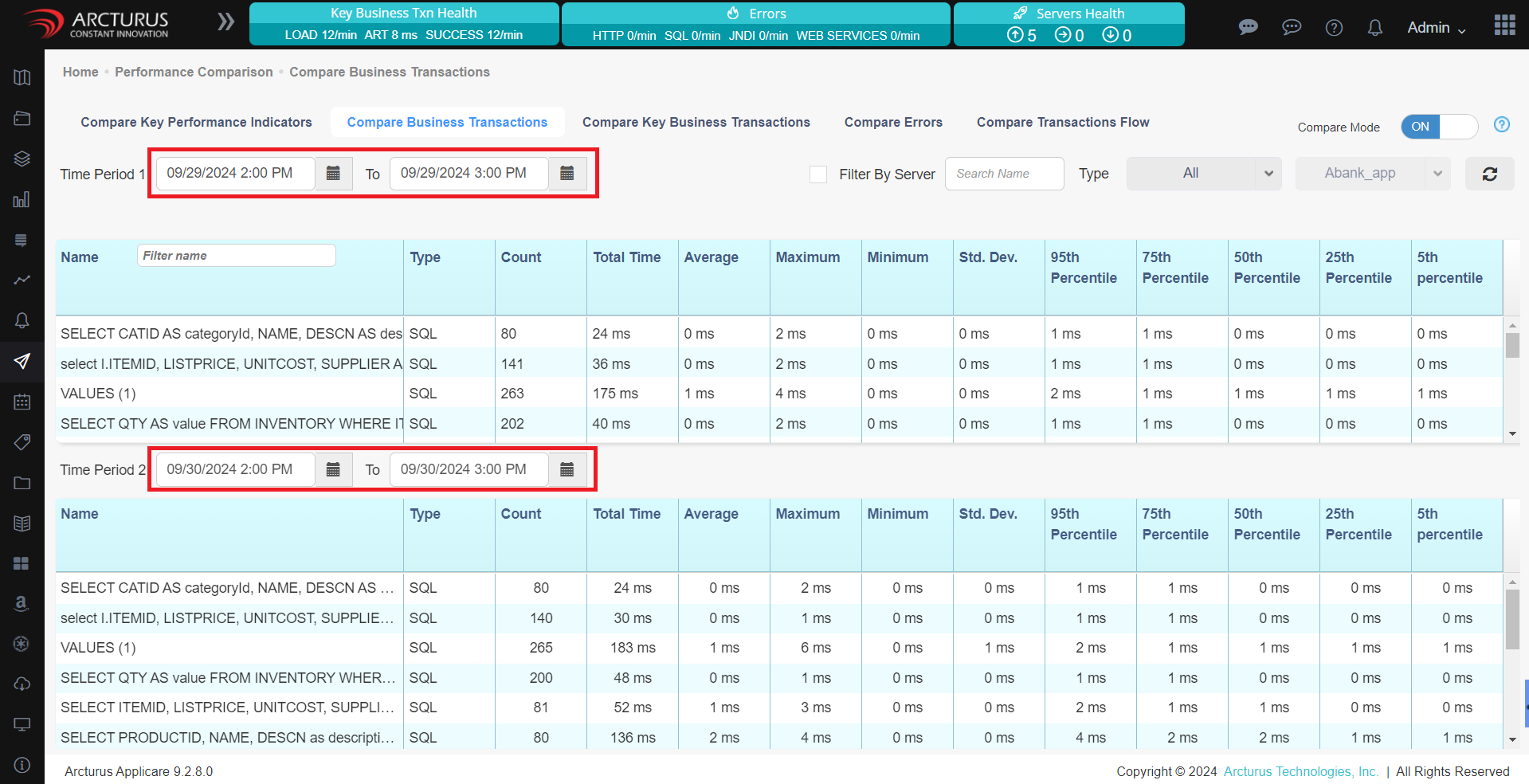
Displays the HTTP data for all servers in the Applicare Controller based on the specified time period.
Compare Key Business Transactions
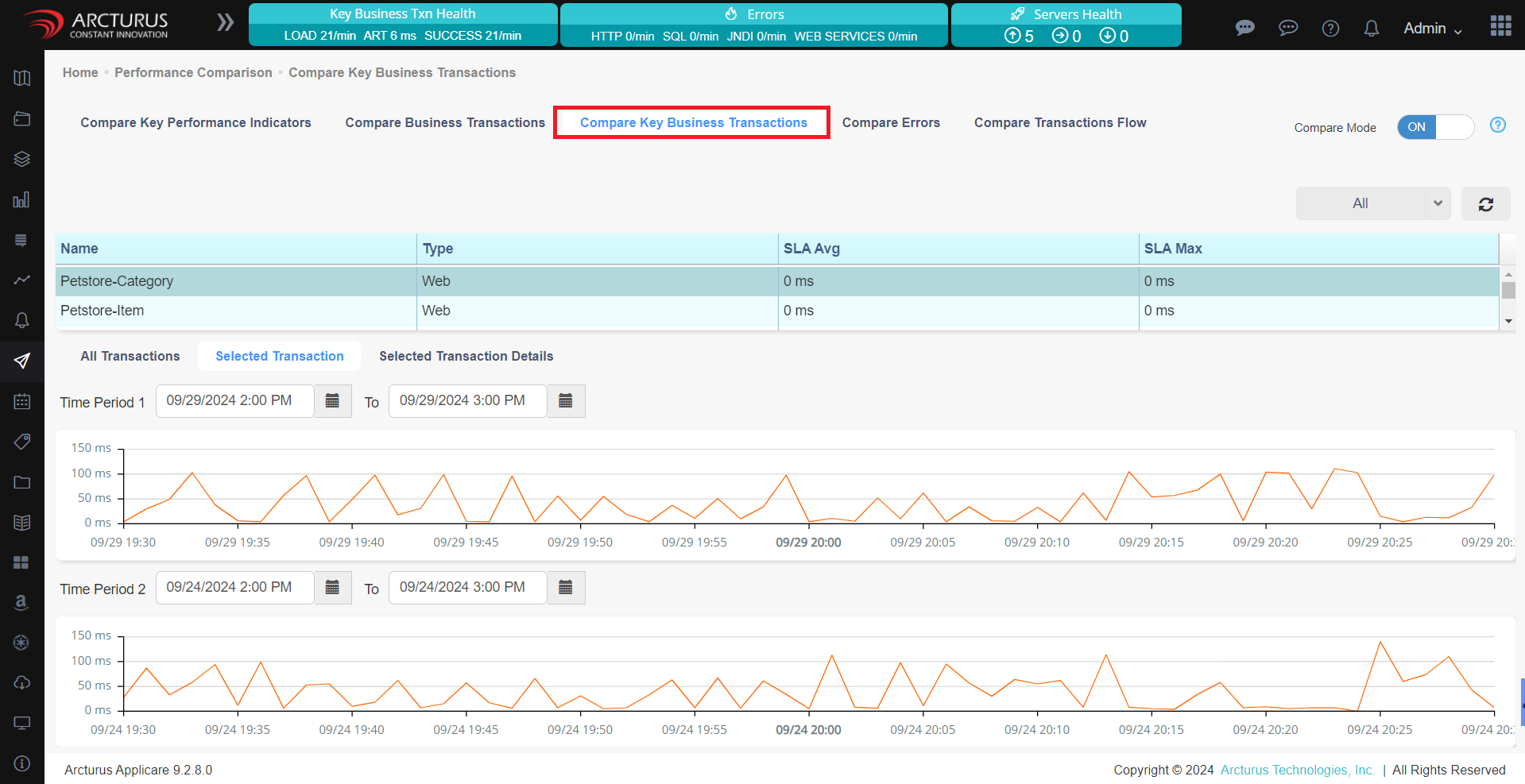
If KBT is added to the server in the Applicare controller then all the KBT will be displayed according to the time period we have given.
Compare Errors
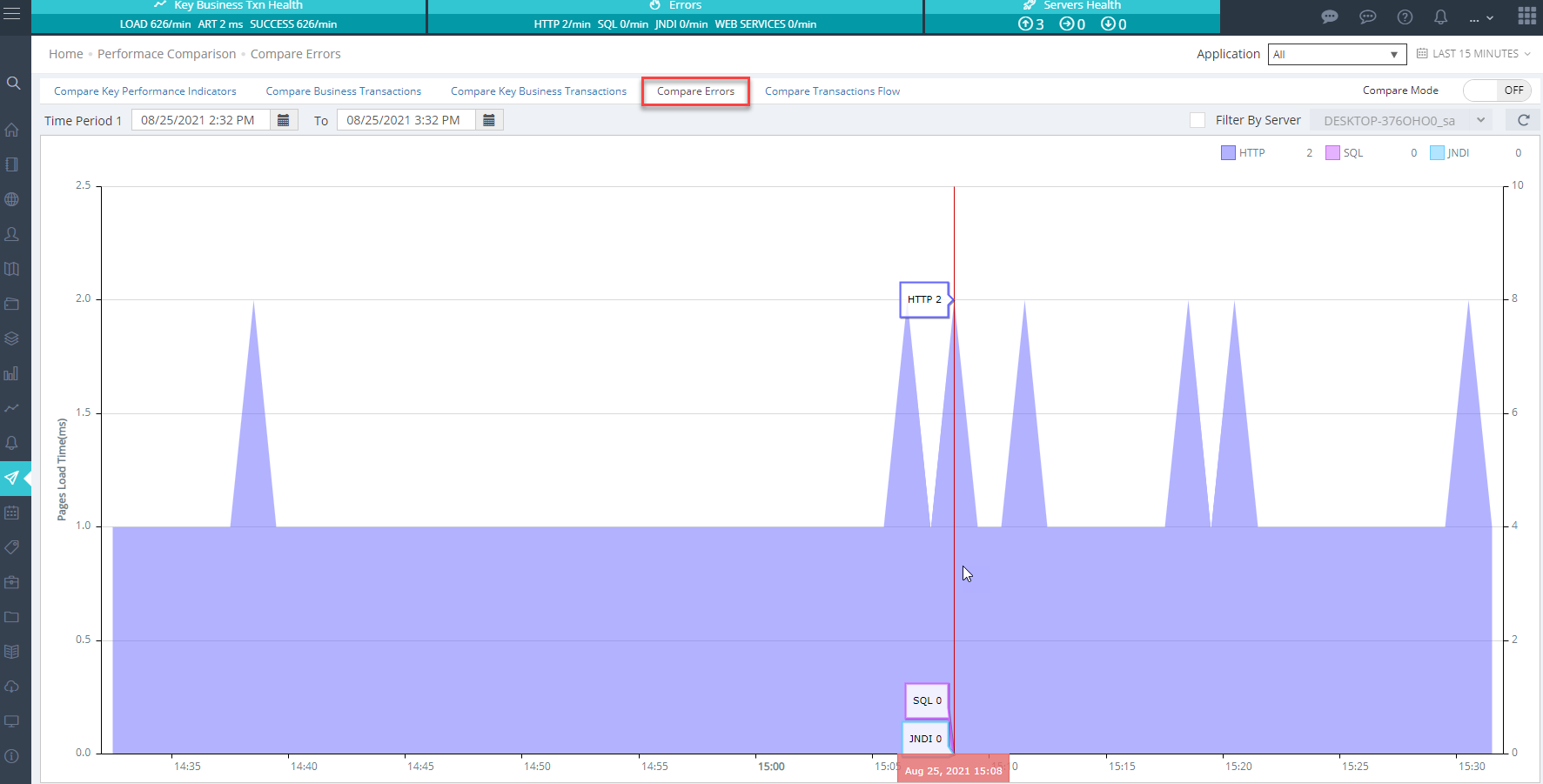
Display any errors like HTTP errors, SQL errors, or JNDI issues, encountered on the server within the specified time period in the Applicare controller.
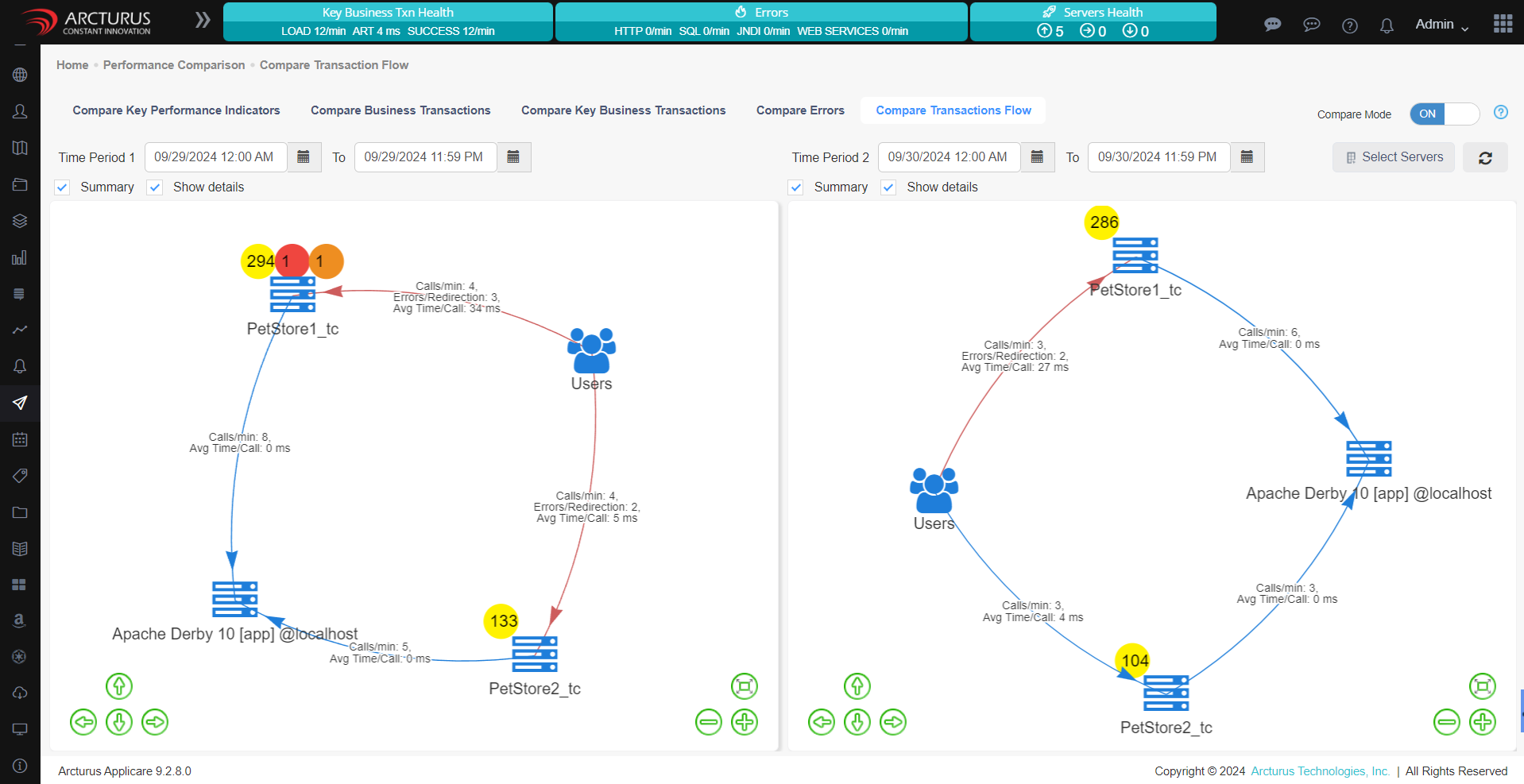
Compare Transaction Flow