
Overview
As the Applicare Controller operates, table storage in the database will grow, potentially reducing disk space on the machine running the controller. Configuring this screen can help mitigate such issues.
Configuration
Auto Deletion
When set up on this screen, Applicare will automatically clear the database storage as per the configuration.
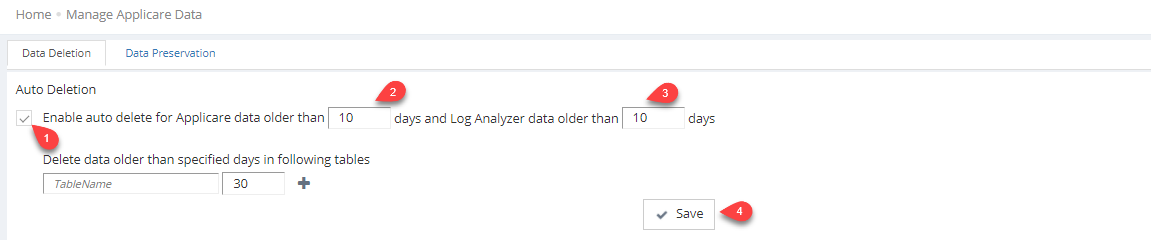
Enable auto deletion by checking the appropriate checkbox. Then, specify the no of days after which data should be deleted and save the setting.
Manual Deletion
Use this option to immediately delete database storage if disk space is running low on the machine running the Applicare Controller.
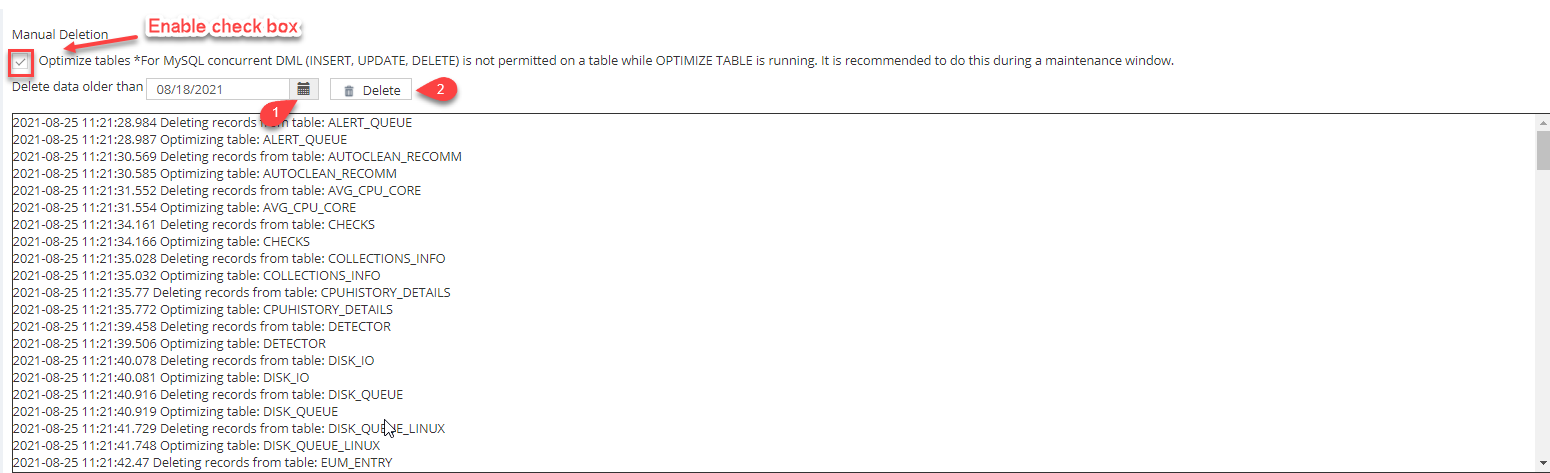
Enable the Manual deletion check box, select the date for which you want to remove the data, and click the Delete button. The database storage will be cleared according to the specified date within a few seconds.