
Applicare OTel Collector is only supported on Redhat, Ubuntu and Debian OS.
Minimum required version: RHEL ≥ 7.9, Ubuntu ≥ 18.04 and Debian ≥ 10
Step 1: Execute the command below inside the applicare_otel_collector directory in the Applicare home directory. (Create the applicare_otel_collector\linux directory if it does not exist)
If have Wget, execute the command below.
sudo wget https://applicare.blob.core.windows.net/demoapplication/applicare_otel_collector.zip(OR)
If have Curl, execute the command below.
sudo curl -O https://applicare.blob.core.windows.net/demoapplication/applicare_otel_collector.zipStep 2: Install unzip, if not already installed.
sudo apt install unzip -yStep 3: Execute below command to unzip the file.
sudo unzip applicare_otel_collector.zipStep 4: Execute the below command to give the permission.
sudo chmod -R 750 *Step 5: Execute the command below to install the collector.
sudo ./install_applicare_otel_collector.shStep 6: After executing the command, some packages will be installed, please wait for a few minutes.
After everything is done, a message like the one below will appear, meaning that Applicare collector is running.
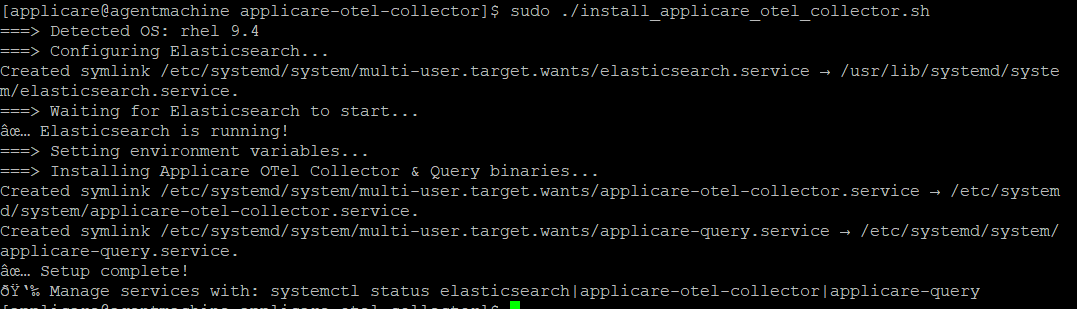
The following port must be opened on the system where the ApplicareCollector is running.
4318