Installing SingleAgent for Appserver on Windows using Command Line

1. Log in to the Applicare console and navigate to the Download Agents screen.

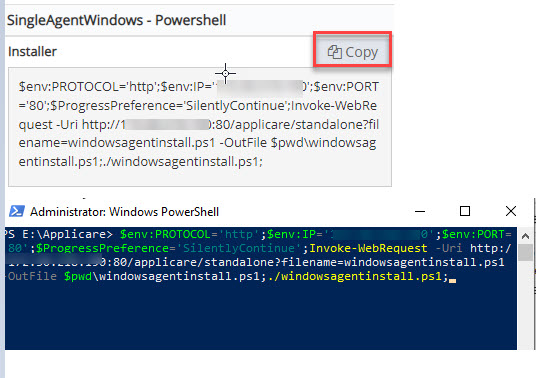
2. On to the machine where the agent is to be deployed. Copy the SingleAgentWindows - PowerShell Installer command. Open PowerShell in administrator mode, navigate to any drive, and paste the copied command and press Enter button.

Screenshot 1 — Installing SingleAgent for Appserver on Windows using Command Line

3. Select option n if you do not wish the start SingleAgent.

Monitoring with Applicare

Was this article helpful?

Votes and follows are kept by Zendesk, so they need a Help Center account. These buttons open this article there.

Opens Zendesk · needs internet and sign-in

Still stuck? Contact support