
Enabling Apache User Experience Analyzer
Enabling this feature will log each individual transaction separately into the database, resulting in a large volume of data being recorded.
To set up the Apache User Experience Analyzer, follow these steps:
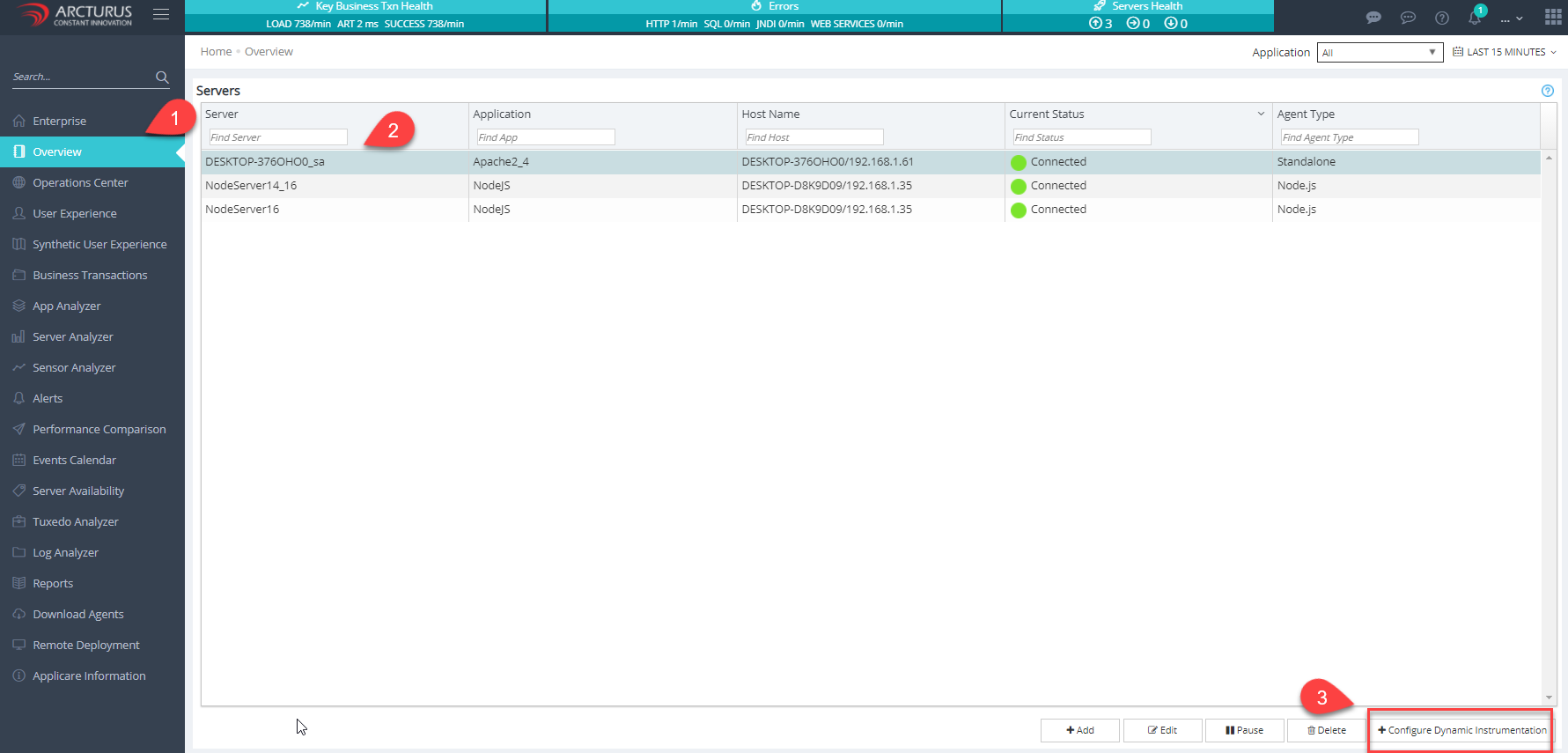
1. Navigate to the Overview screen, select the server, and click on the Configure Dynamic Instrumentation.
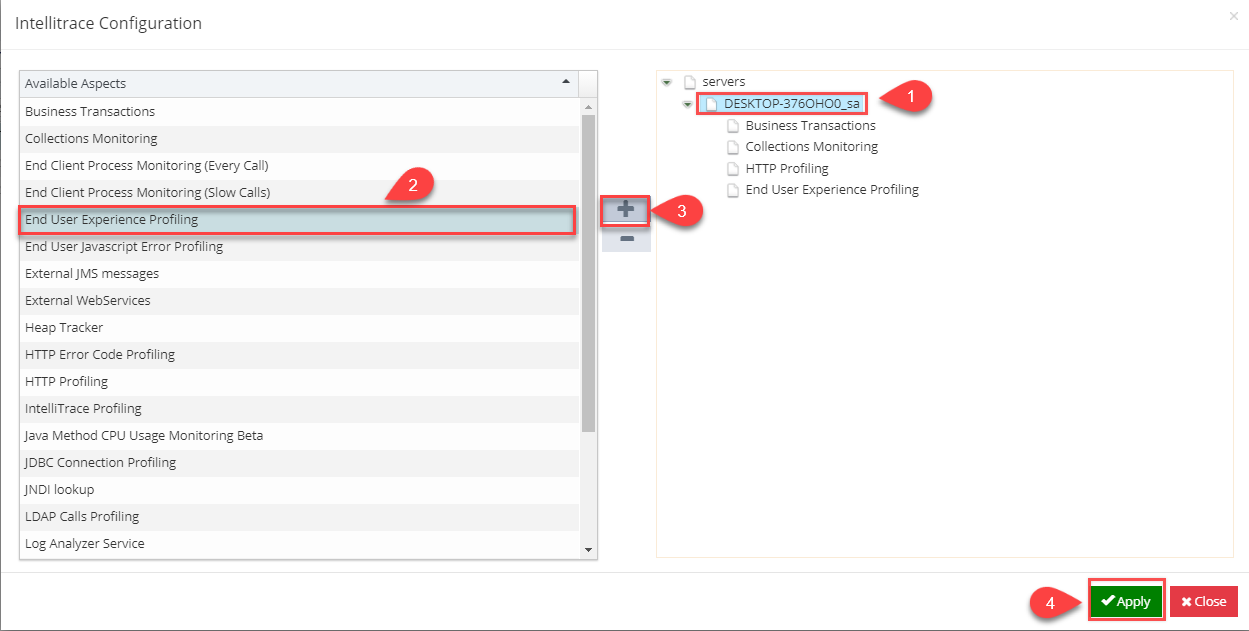
2. Add the "End User Experience Profiling" aspect to the server.
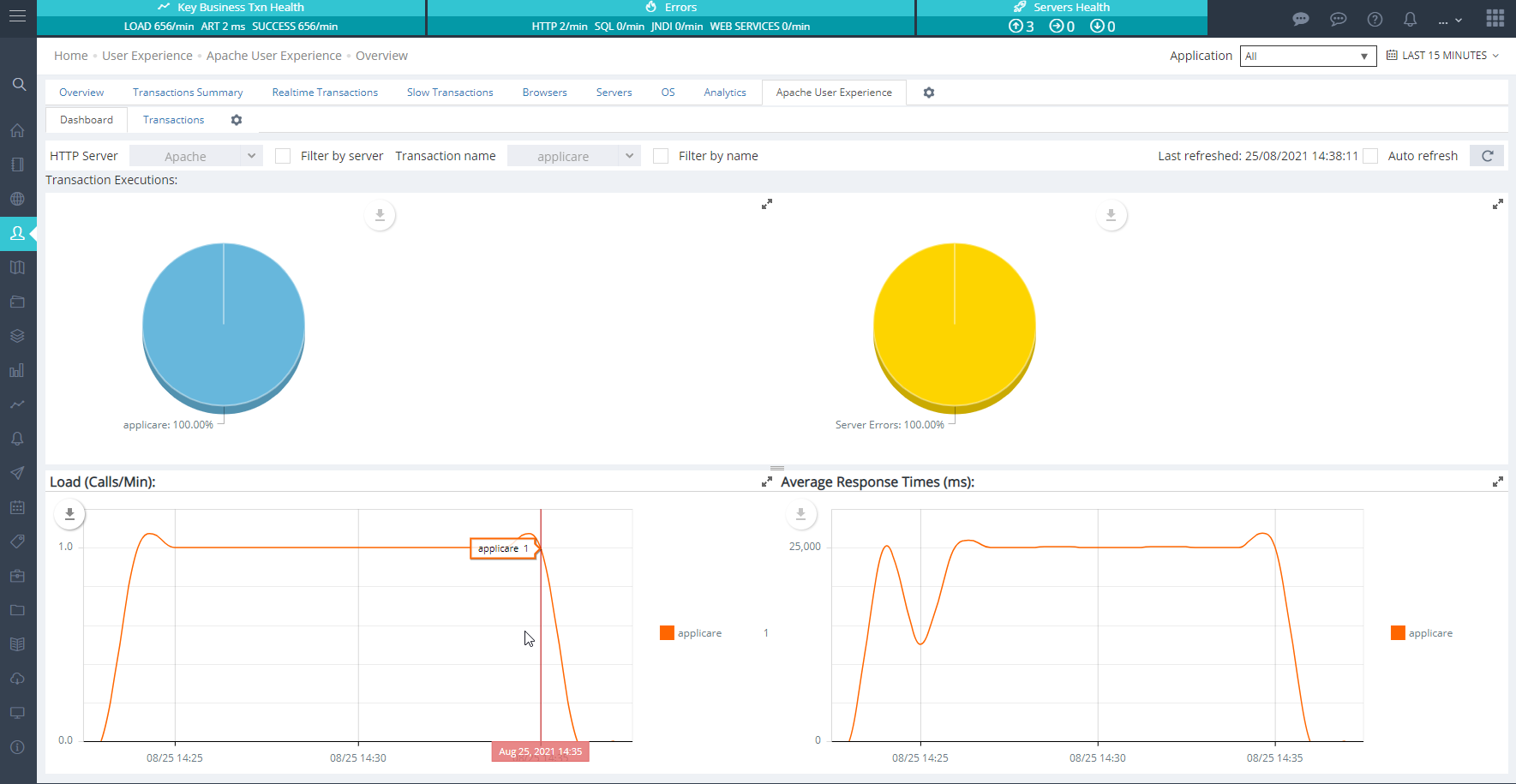
3. Within a few minutes, the data will appear in the "Apache User Experience Analyzer".
Dashboard
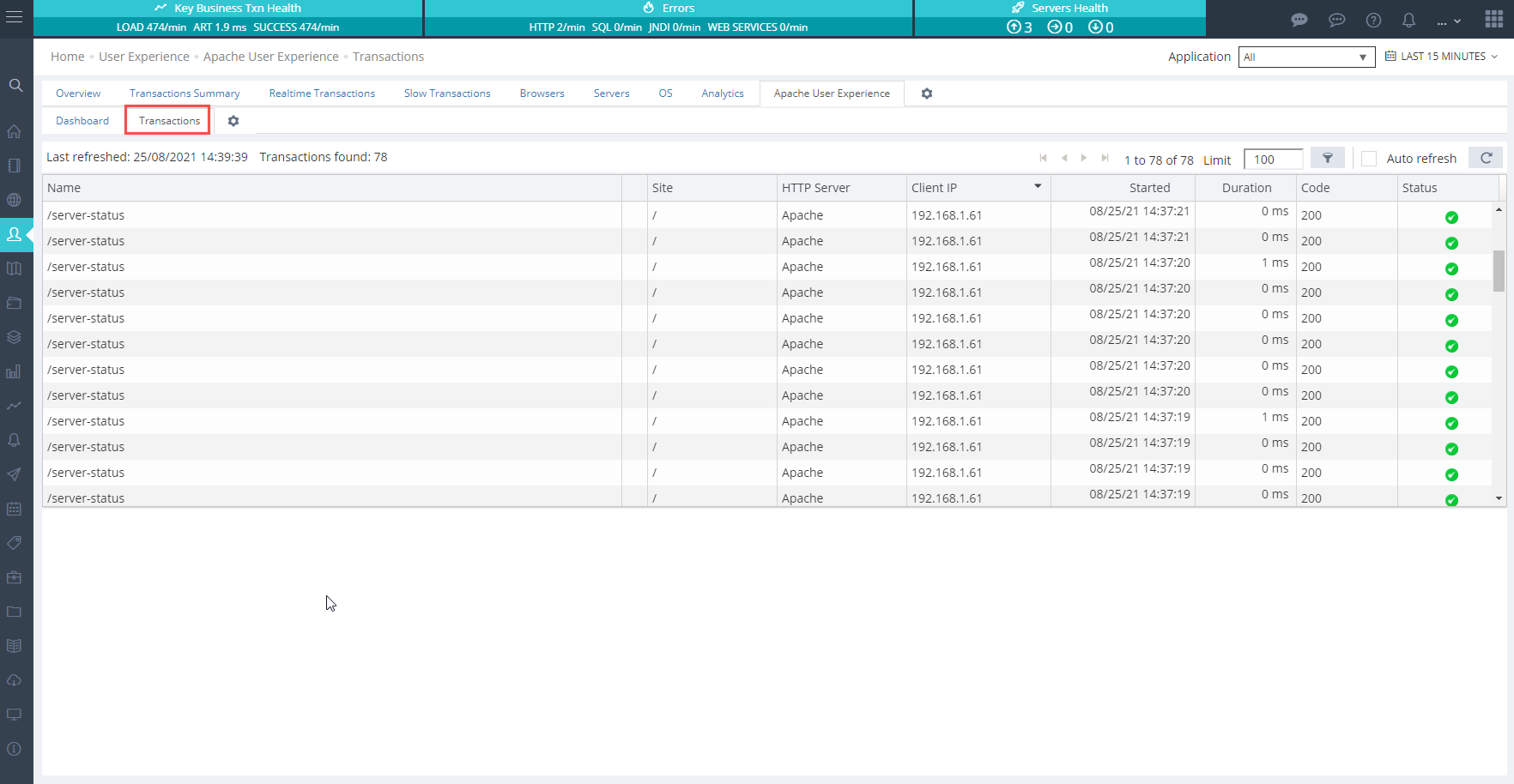
Transactions
To Restrict logging to specific URLs in the Apache User Experience Analyzer
1. Navigate to User Experience --> Settings (icon) --> UEM URL Exclusion/Inclusion
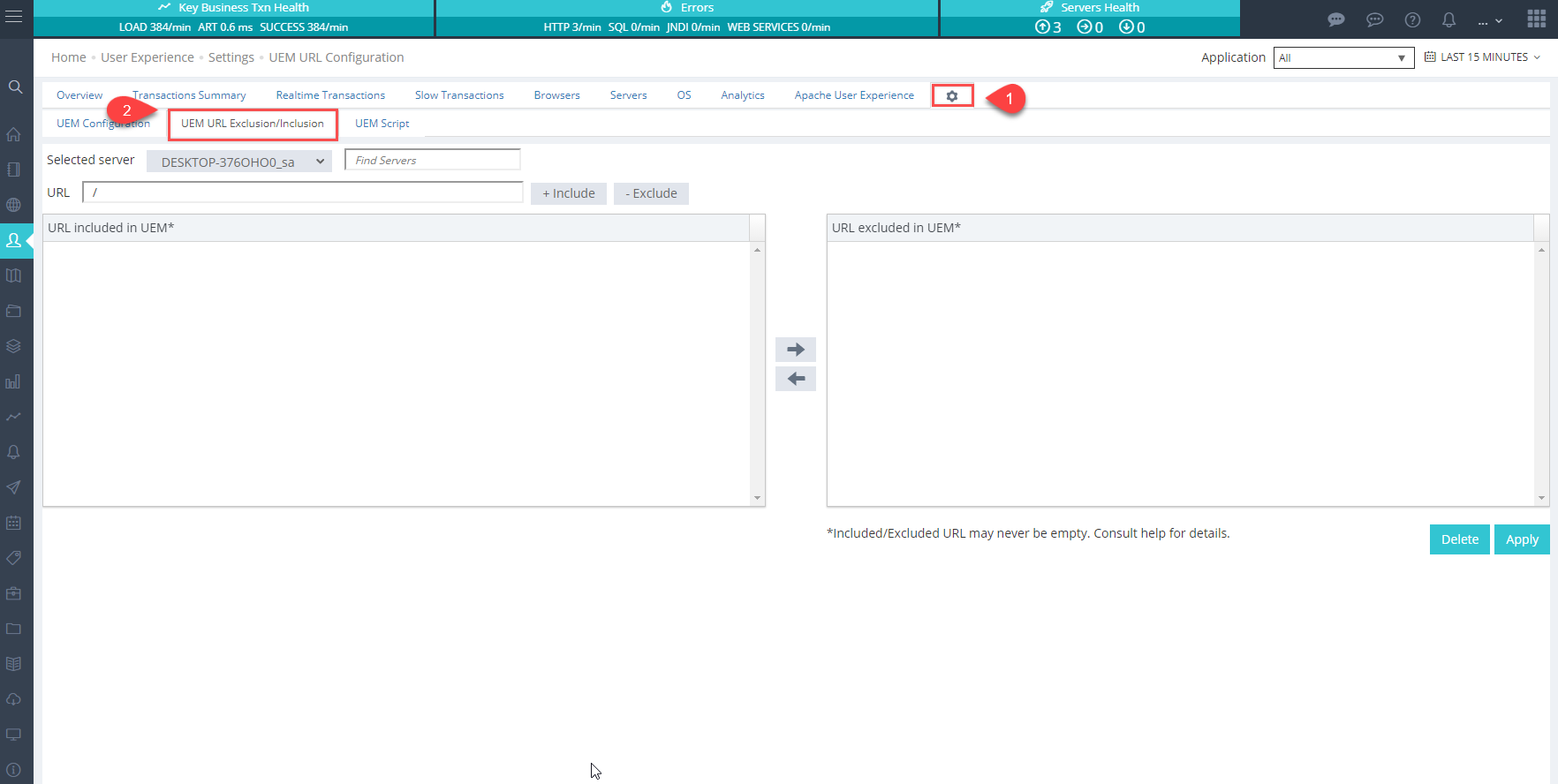
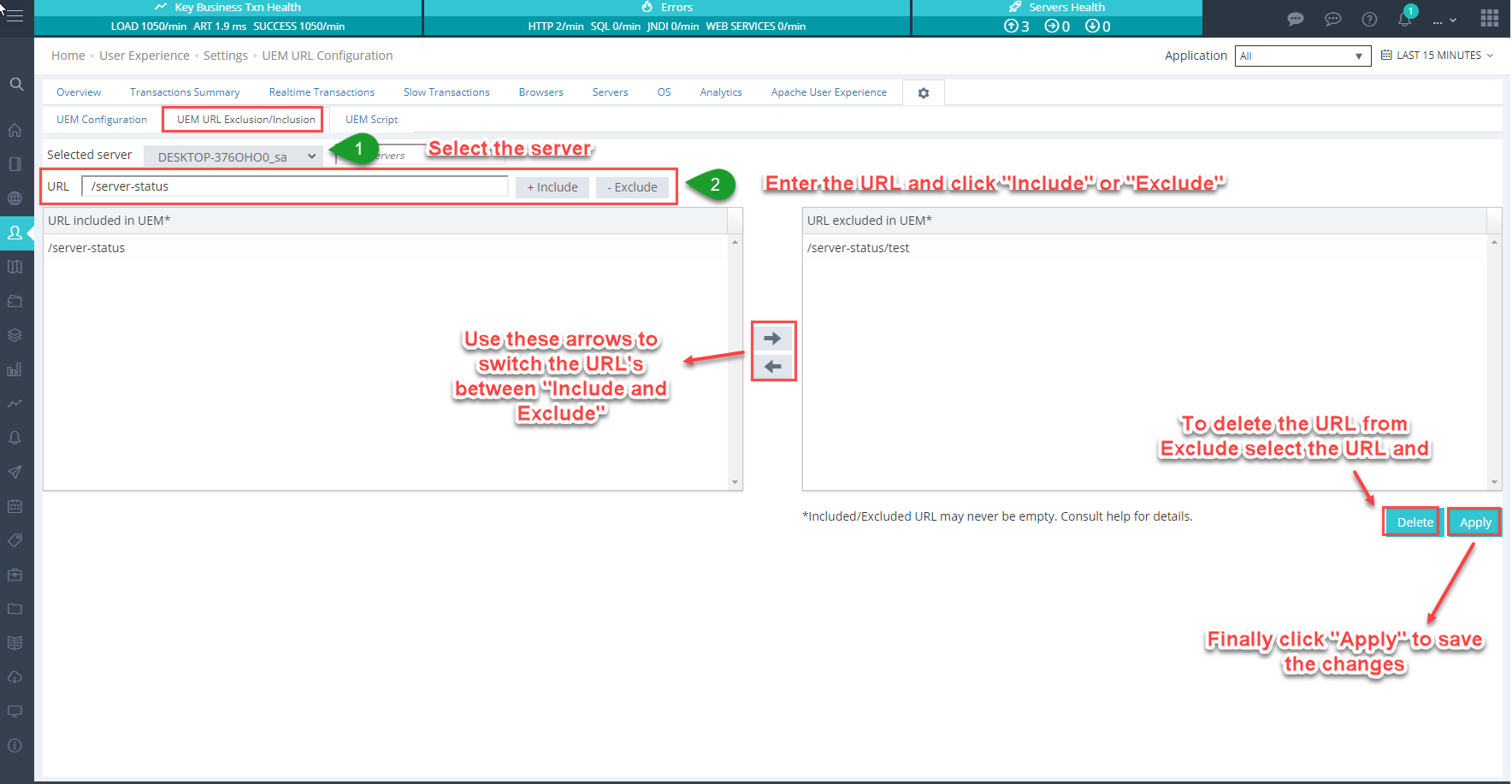
2. Add the URL's to the UEM Include and Exclude lists.
UEM Include & Exclude
If the UEM Include list is populated, Only the URLs specified in that list will be logged.
Click "OK"
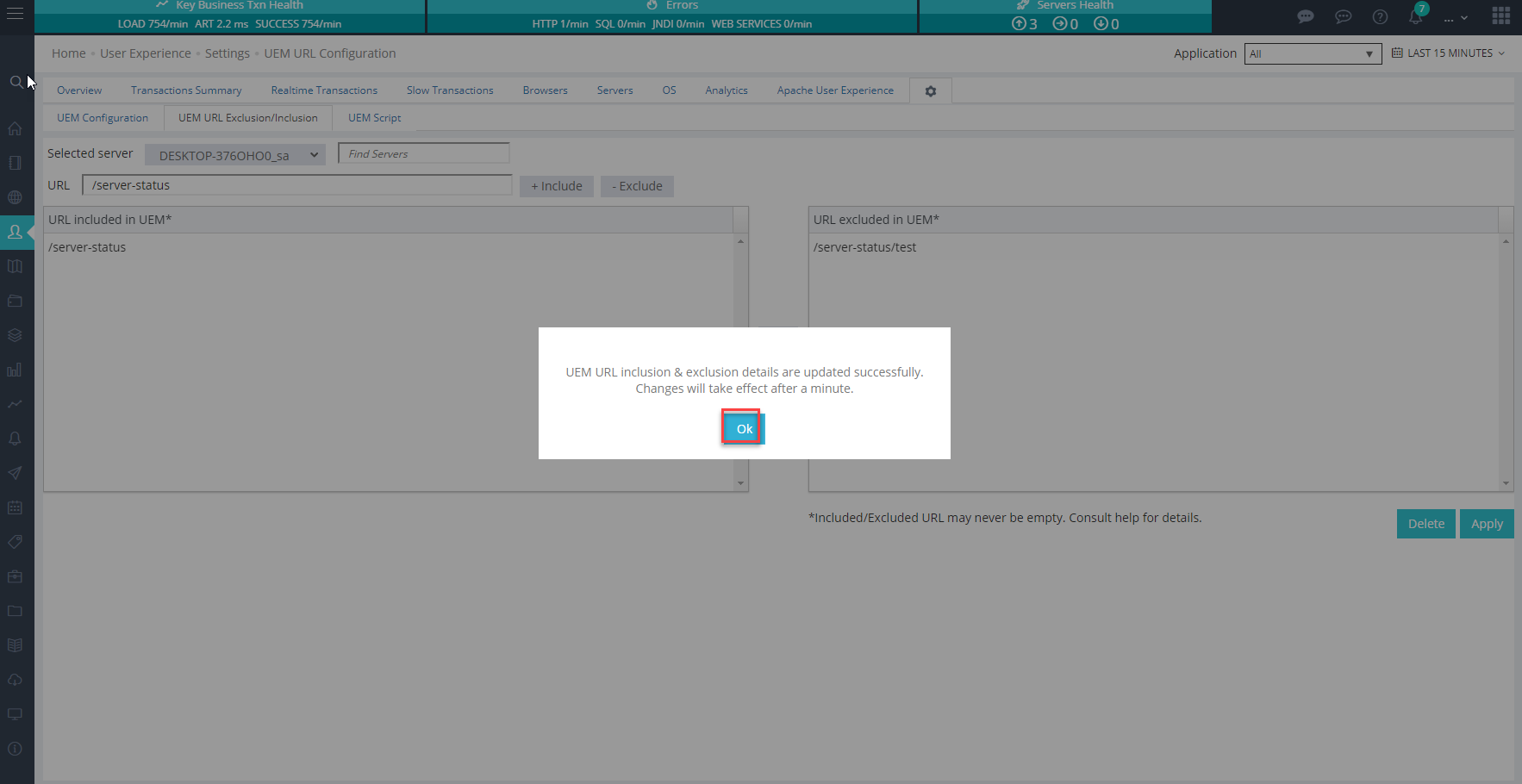
After applying the changes, a restart of SingleAgent is required. Ensure you add all necessary URL's to the UEM Include or Exclude list, apply the changes, and then restart the SingleAgent.