
- Install Applicare SingleAgent in the machine where Weblogic is running.
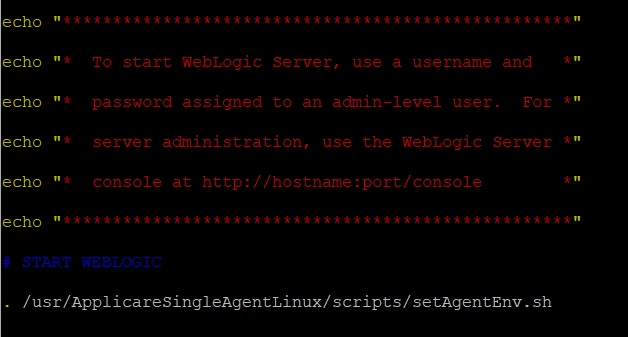
- Navigate to the <weblogic_domain_path>\bin directory and add the following line to the startWebLogic.bat file:
. /<ApplicareSingleAgent_homepath>/scripts/setAgentEnv.sh<ApplicareSingleagent_homepath>
- The directory where the Applicare SingleAgent zip file has been extracted.
- Restart Weblogic
For Other Docs - Click here