
1. Open the Gradle build file and append the container block at the end of the Jib configuration section.
Syntax:
container {
jvmFlags = ['ARG1=Value','ARG2=Value']
}
e.g.
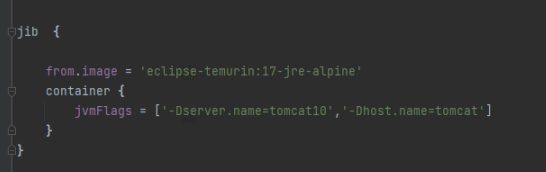
container { jvmFlags = ['-Dserver.name=tomcat10','-Dhost.name=tomcat'] }
1. Open the Gradle build file and append the container block at the end of the Jib configuration section.
Syntax:
container {
jvmFlags = ['ARG1=Value','ARG2=Value']
}e.g.
container { jvmFlags = ['-Dserver.name=tomcat10','-Dhost.name=tomcat'] }
Votes and follows are kept by Zendesk, so they need a Help Center account. These buttons open this article there.
Opens Zendesk · needs internet and sign-in