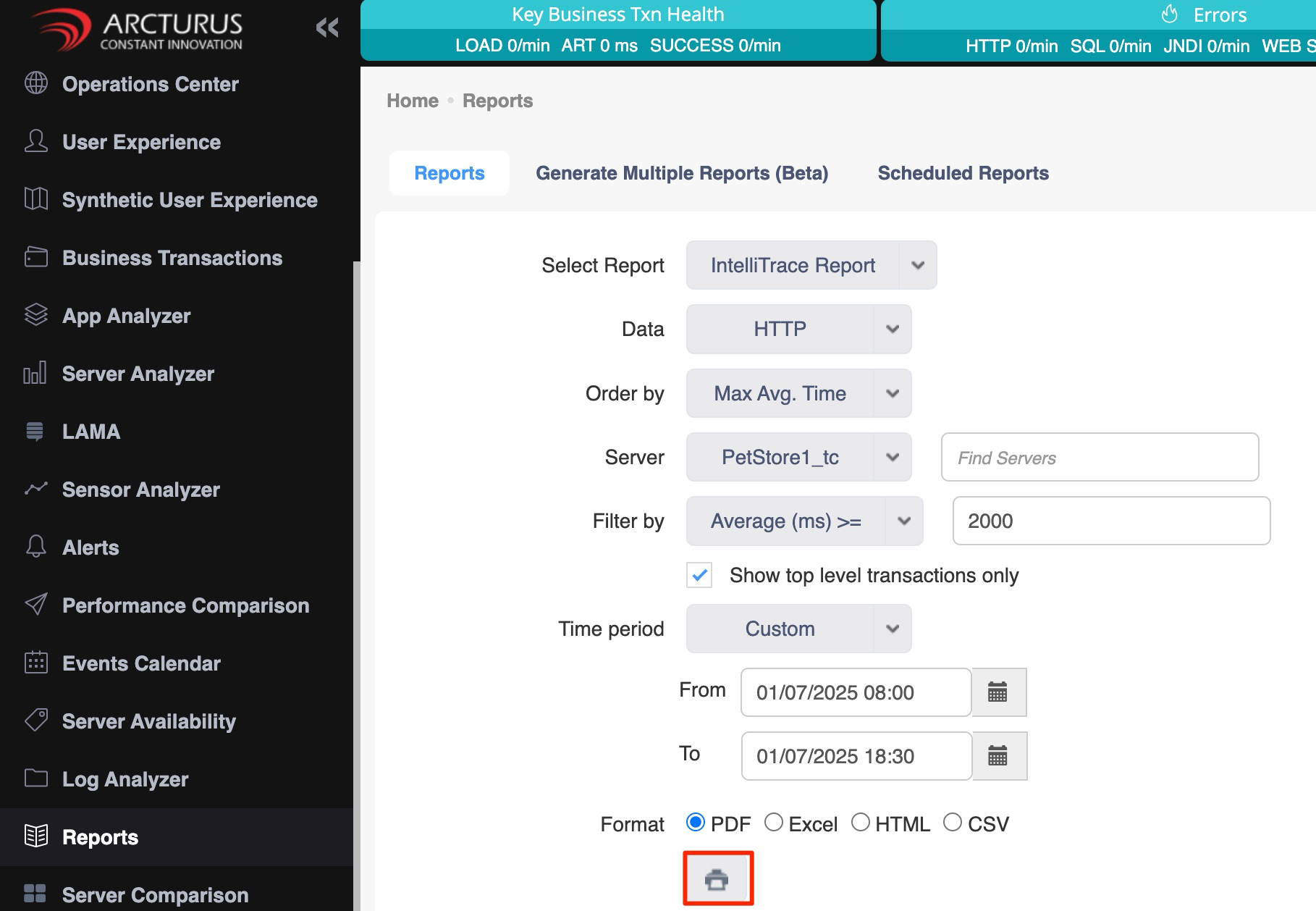
IntelliTrace report for Http:
Step 1: Go to the report screen in the left-hand menu.
Step 2: Below is a list of which options to select from which dropdown.
a.) Select Report: Select the "Intellitrace report" option in this dropdown.
b.) Data: Select the "http" option in this dropdown.
c.) Order by: Select the "MaxAvg.Time" option in this dropdown.
d.) Server: In this dropdown, select the "server" for which you want intellitrace data.
e.) Filter by: In this dropdown, select the "Average>=" option and enter "2000" in the filter value text box.
f.) Enable the Show top level transactions only checkbox.
g.) Time period: Select "Custom" from this dropdown menu, then specify the desired data time period using the "From" and "To" fields.
h.) Format: Choose your preferred output format (PDF, Excel, HTML, or CSV).
Step 3: Enter the values as shown above, then click the print icon.
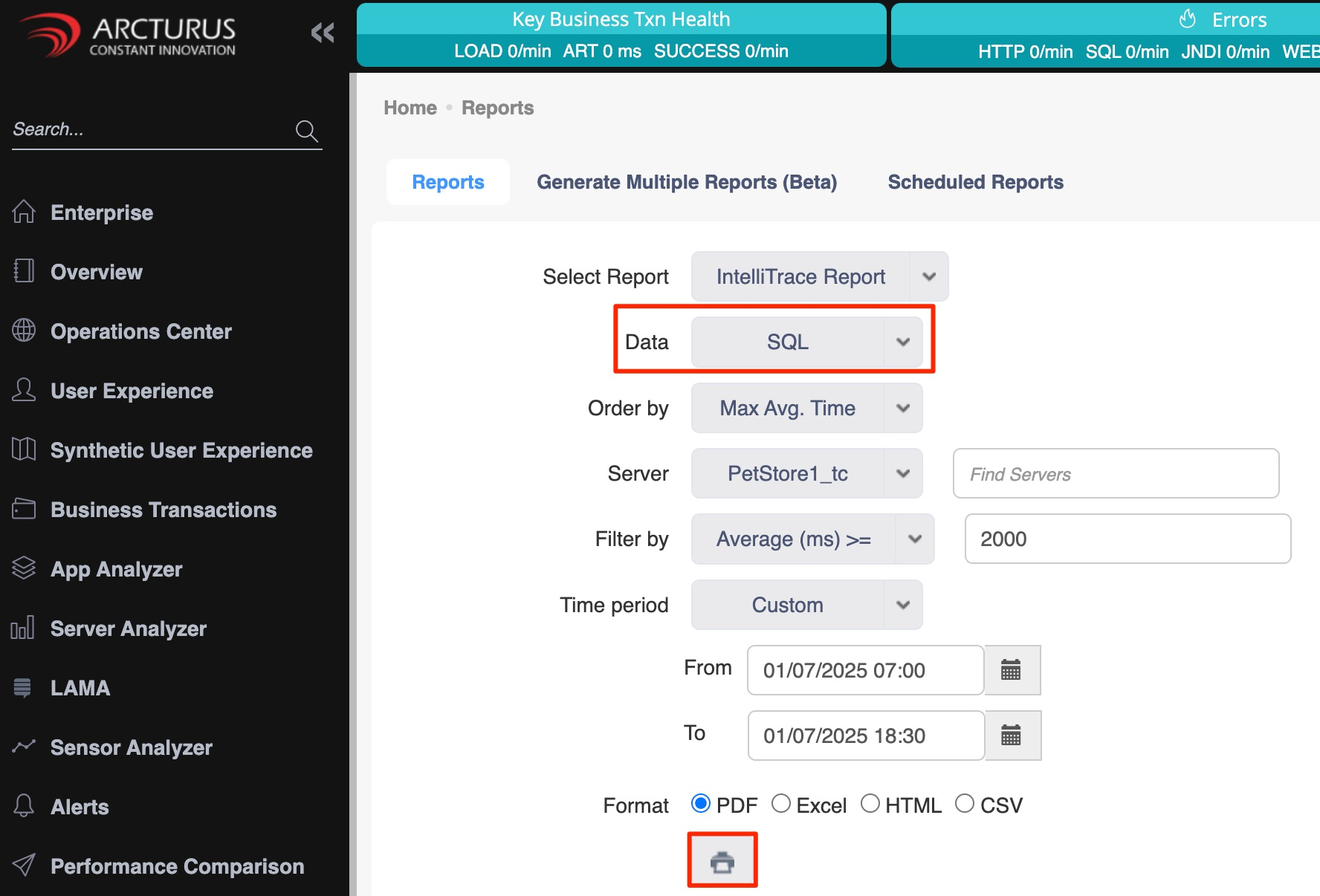
IntelliTrace report for SQL:
Step 1: Go to the report screen in the left-hand menu.
Step 2: Below is a list of which options to select from which dropdown.
a.) Select Report: Select the "Intellitrace report" option in this dropdown.
b.) Data: Select the "SQL" option in this dropdown.
c.) Order by: Select the "MaxAvg.Time" option in this dropdown.
d.) Server: In this dropdown, select the "server" for which you want intellitrace data.
e.) Filter by: In this dropdown, select the "Average>=" option and enter "2000" in the filter value text box.
f.) Enable the Show top level transactions only checkbox.
g.) Time period: Select "Custom" from this dropdown menu, then specify the desired data time period using the "From" and "To" fields.
h.) Format: Choose your preferred output format (PDF, Excel, HTML, or CSV).
Step 3: Enter the values as shown above, then click the print icon.