
Step 1: Navigate to "<Applicare SingleAgent_home_path>\Wrapper\Linux" directory and edit the config.sh file.
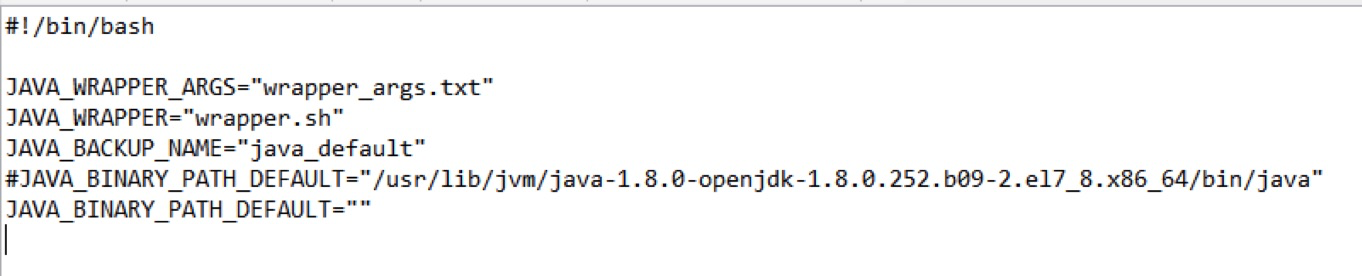
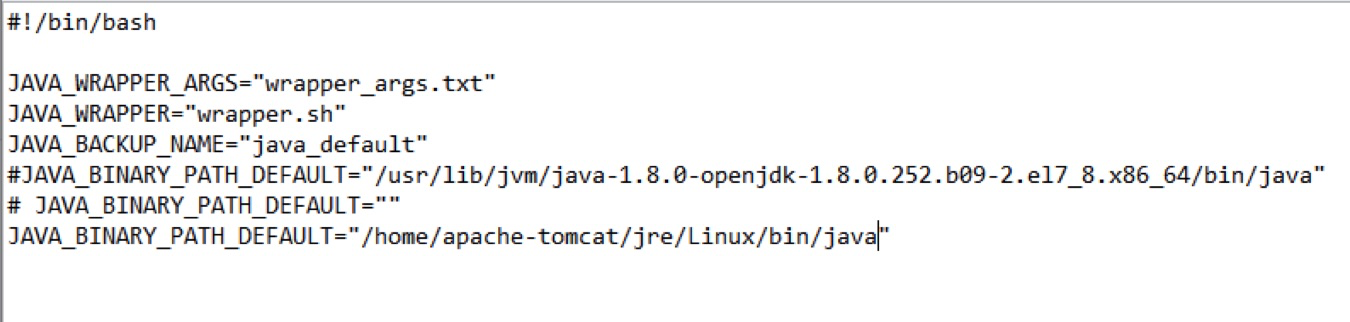
Step 2: Copy the line that says JAVA_BINARY_PATH_DEFAULT="", comment it out and paste it on the next line. Then, insert the path to the java directory in double quotes as shown below and save the file.
e.g. /home/apache-tomcat/jre/Linux/bin/java
Before changes config.sh file
After changes config.sh file
Step 3: To install Applicare Singleagent execute install.sh file.
