
Method 1: Starting Controller via Command mode
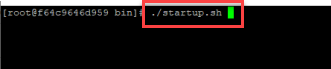
Navigate to the Applicare Controller installation directory, then proceed to the /server/bin path and run ./startup.sh to start the Applicare Controller.
Method 2:Starting the Controller in Background Mode
Navigate to the Applicare Controller installation directory, then go to the path /server/bin path and execute the following command to start the Applicare Controller.
nohup ./startup.sh &
Method 3: Start Controller as a Service