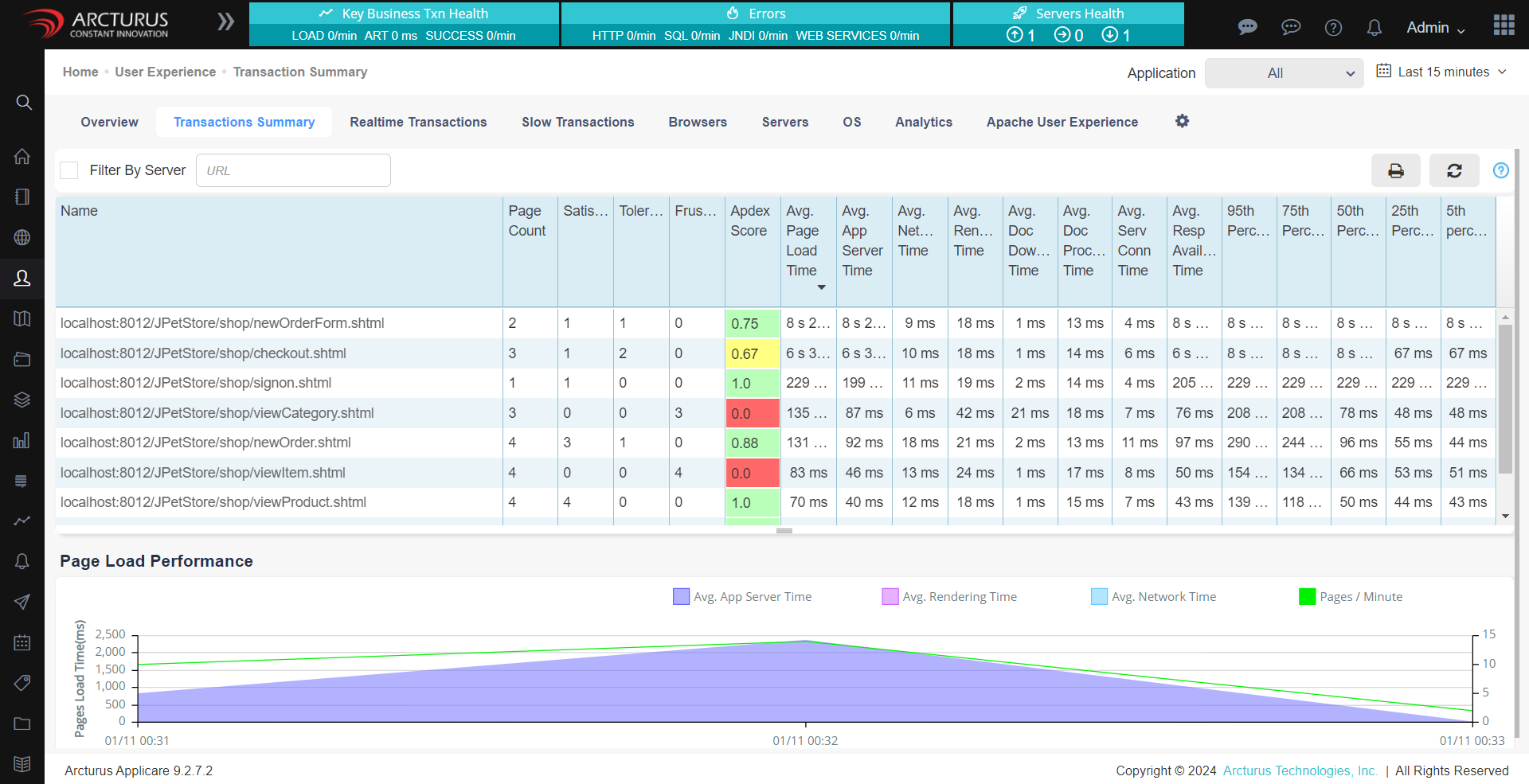
The Application Performance Index (Apdex) score quantifies user satisfaction with the performance of web applications and services. It converts various response times into a single score ranging from 0 to 1, with 1 indicating perfect satisfaction and 0 representing complete dissatisfaction. By default, Applicare uses the average response time of transactions as its Desired response time(T).
Each transactions is classified as follows:
- Satisfied: Response times less than or equal to T.
- Tolerating: Response times between T and 4T.
- Frustrated: Response times greater than 4T.
The Apdex Score is calculated using the formula:
Apdex Score = (Satisfied Count + (Tolerating Count / 2)) / Total Count
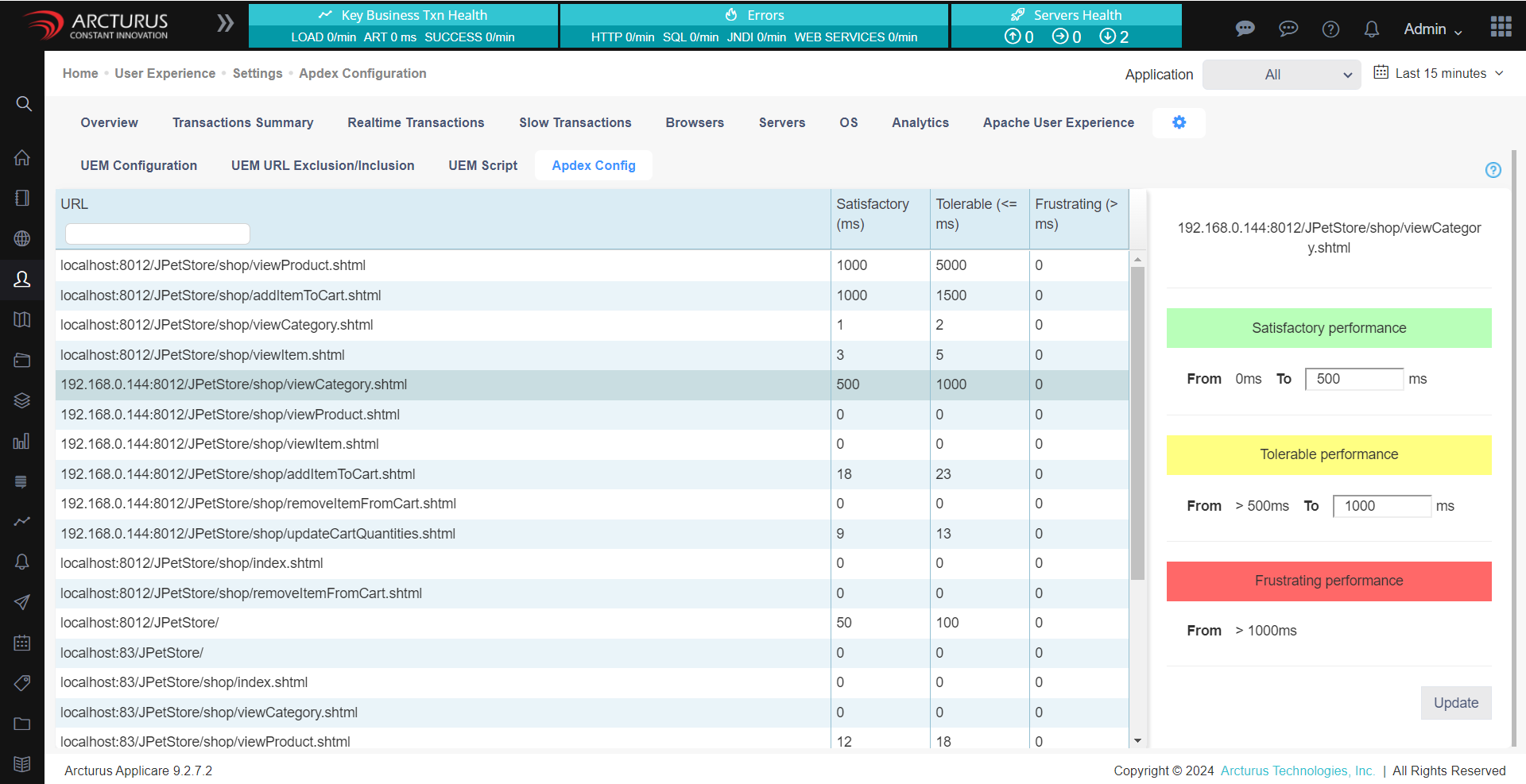
You can configure the Apdex threshold for individual transactions in Applicare console by navigating to Home-> User Experience -> Settings -> Apdex Configuration screen.
The Apdex score for all the transactions can be viewed under User Experience -> Transaction summary.
If no Apdex threshold is set for a transaction, then average response time of that transaction will be used as the default threshold.