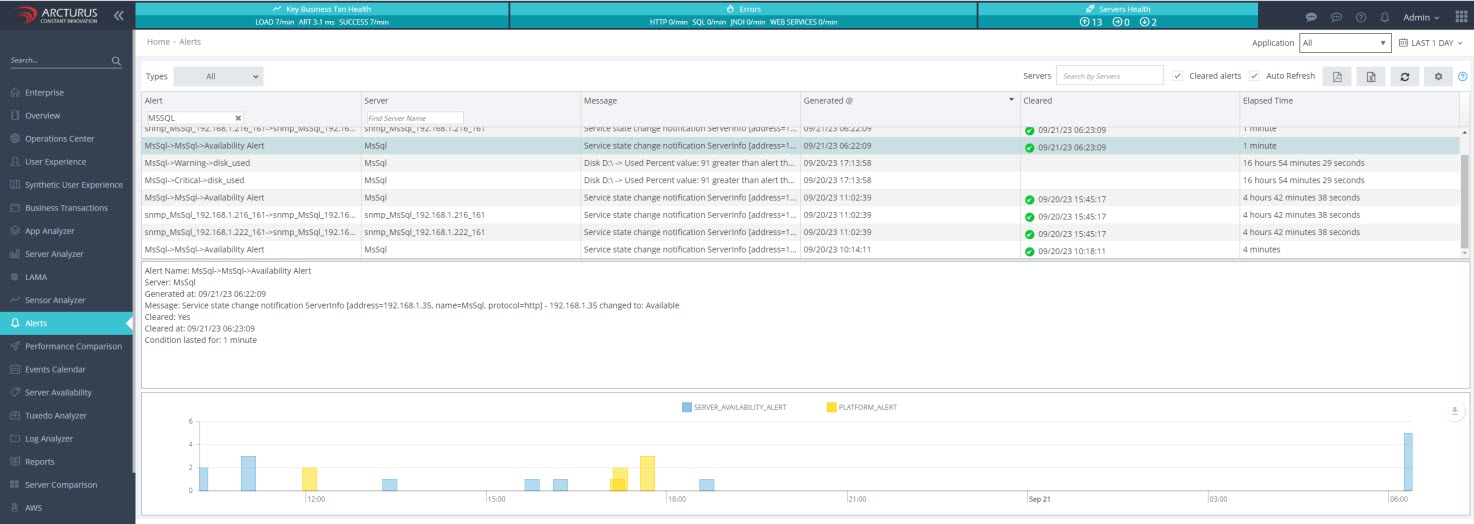
Applicare SingleAgent is an effective tool for managing and monitoring your availability groups. It offers a comprehensive view of performance across your MS SQL Server, helping you identify and troubleshoot issues at the Windows Server Failover Cluster (WSFC) level, SQL Server instance level, and Replica level.
Sensor Analyzer
Sensor Analyzer allows users to create and customize their own dashboards, enabling them to monitor the metrics that matter most to them..
- Visualize data trends: Charts enable you to swiftly recognize trends in your data, aiding in the detection of potential issues or opportunities.
- Identify Anomalies: Charts can highlight anomalies such as sudden spikes or drops, which is useful for troubleshooting.
- Correlate Data: Charts facilitate the correlation of data from various sources. Helping you understand the root cause of issues.
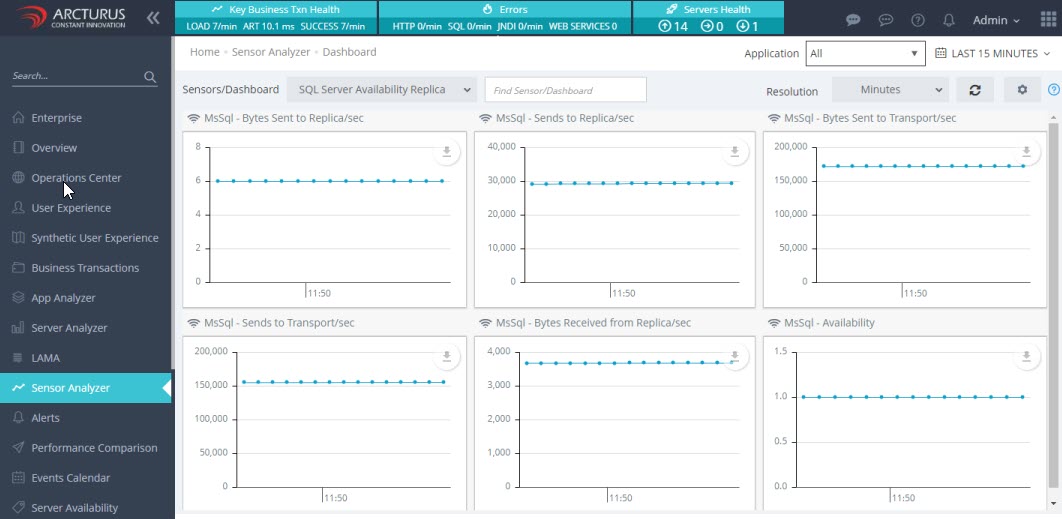
Server Availability Replication
This feature monitors the availability replicas in Always On availability groups in SQL Server. It includes sensors for both the primary and the secondary replicas, with send/receive counters reflecting the status of each local replica.
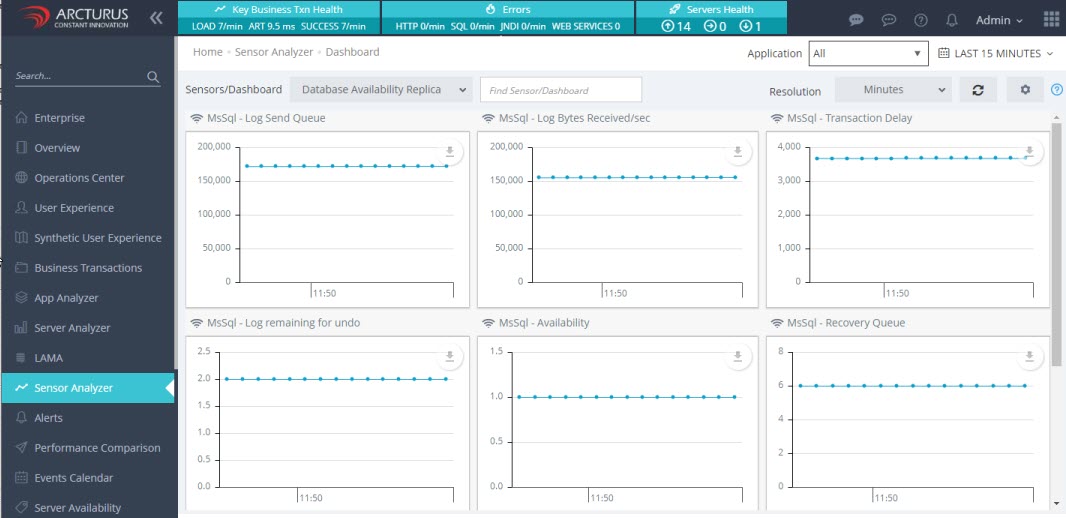
Database Availability Replication
This feature provides details about the secondary databases of an Always On availability group in SQL Server.
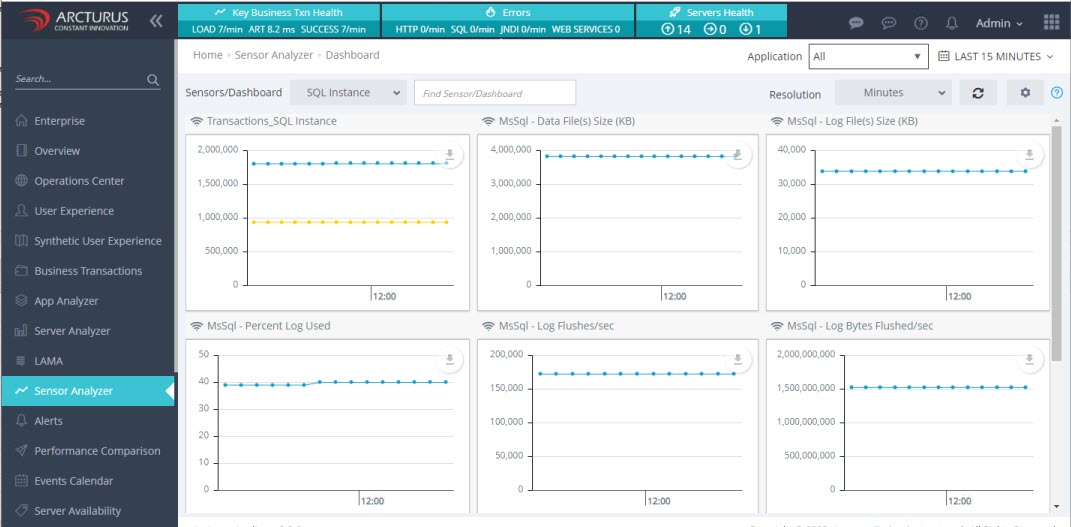
SQL Server Instance
Monitor transactions and the transaction log to assess user activity within the database and the growth of the transaction log. The level of user activity impacts database performance and influence log size, locking, and replication.
Reports
Reports offer on-demand access to historical analysis data, enabling you to understand and optimize the performance of your MS SQL Server Always On availability groups.
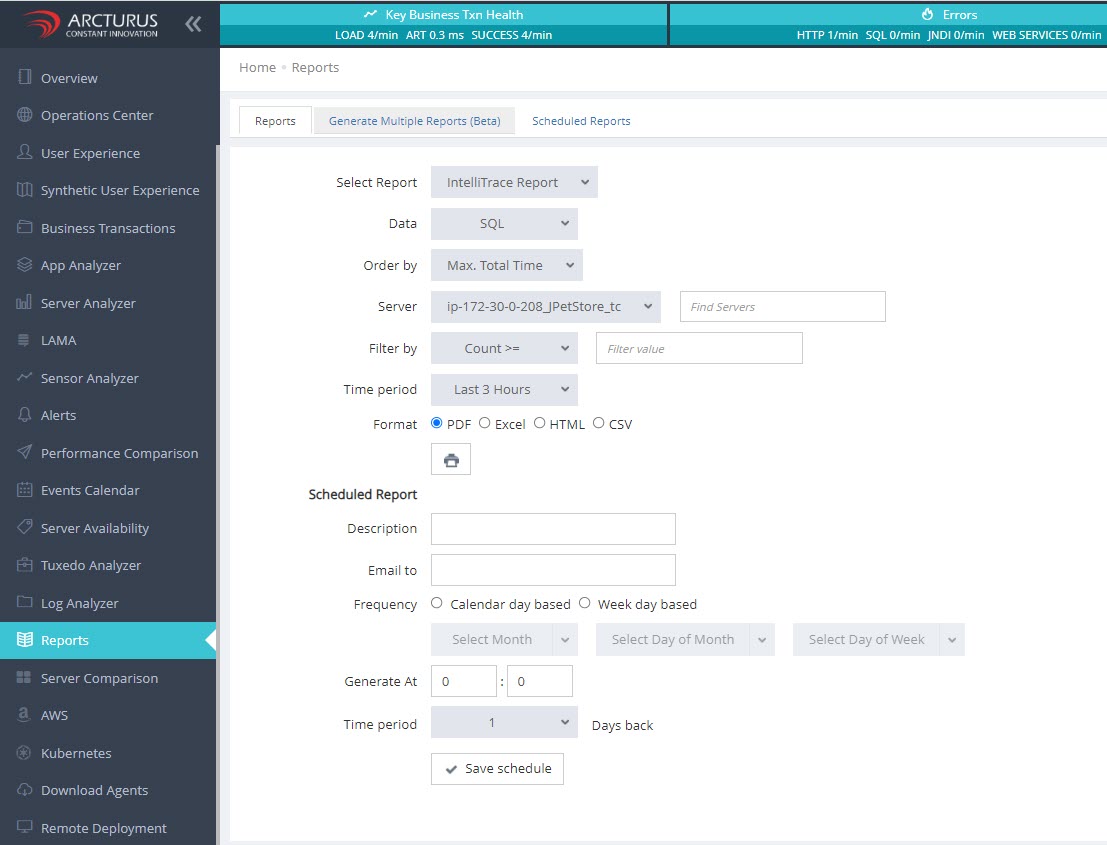
Reports Scheduling
Auto report generation and delivery through scheduling can save time and effort, leading to enhanced performance and efficiency.

Alerts
Alerts notify you of potential issues or opportunities, allowing you to take prompt corrective action reduce impact.