Updated Aug 22, 2024controllerlinuxApplies to 10.0, 9.2Not yet checked for Applicare 10.0
Check this against your version
This article was last updated on Aug 22, 2024, before Applicare 10.0 was released (Jun 19, 2026), and has not been re-checked for Applicare 10.0. Confirm the steps in your environment or contact Support.
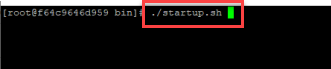
Navigate to the Applicare Controller installation directory, then proceed to the /server/bin path and run ./startup.sh to start the Applicare Controller.
Method 2:Starting the Controller in Background Mode
Navigate to the Applicare Controller installation directory, then go to the path /server/bin path and execute the following command to start the Applicare Controller.