
In Applicare, you can activate end user monitoring by turning on the "End User Experience Profiling" feature from the overview screen. Once this feature is enabled, Applicare will automatically inject its RUM script into the web pages of the monitored applications behind the scenes.
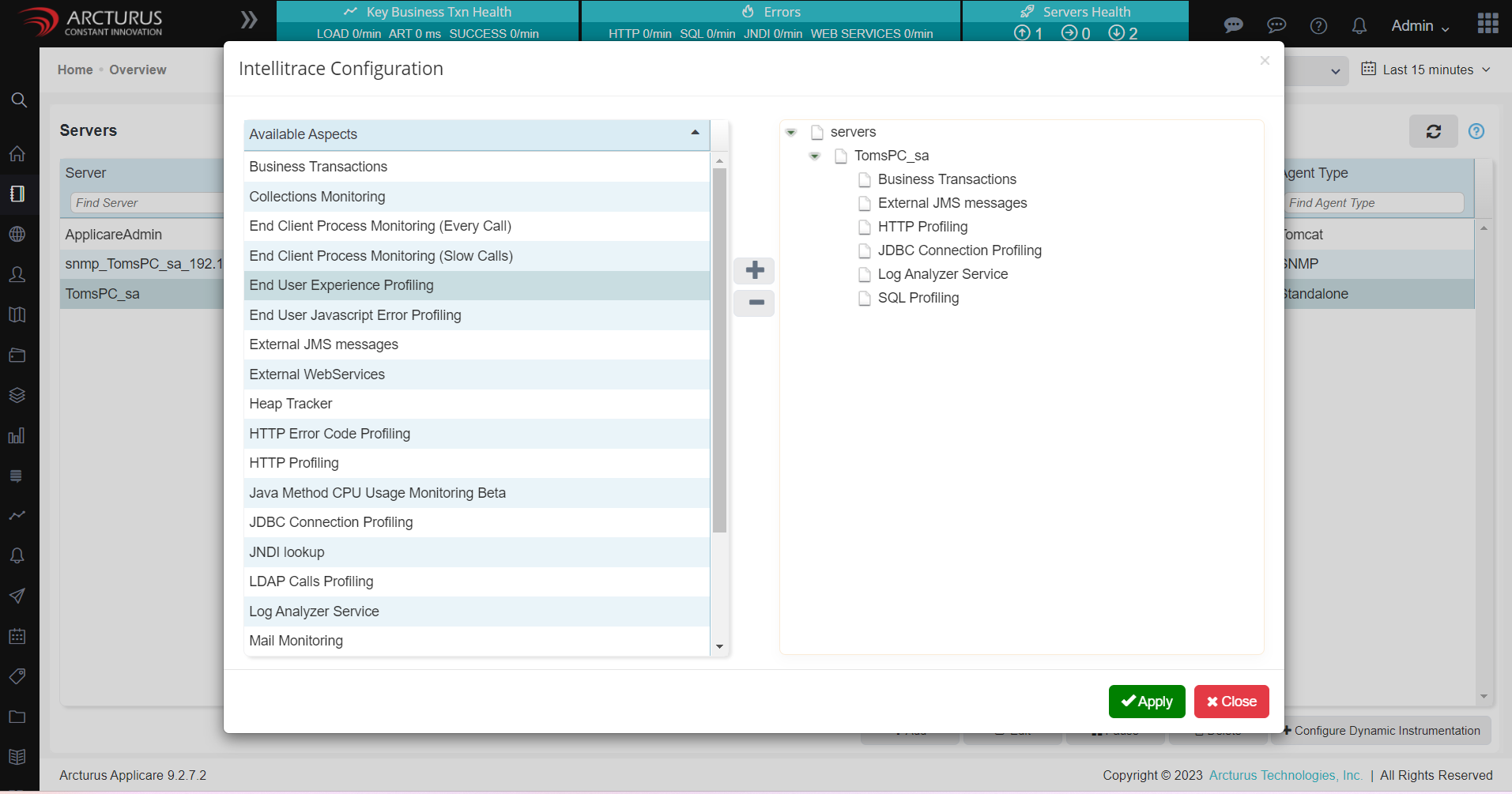
Alternatively, you can manually inject this script into your application's web pages and redeploy the code to collect EUM data. Refer this link for Manual Applicare EUM script injection.
Applicare will inject two JavaScripts files named arc-eum.js and arc-nav.js.
The arc-nav.js script utilizes the Navigation API to measure various parameters including Document download time, Document processing time, Server connection time, Response availability time, Rendering time, DOM readiness time and Resource fetch time.
The arc-eum.js script employs BoomerangJS, an open-source middleware, to measure Page load time, Network time and browser details.