
Step 1: Install the Applicare SingleAgent on the machine running JBoss. Follow these steps: installing Applicare SingleAgent
If Jboss is started using the standalone.conf.sh file proceed with Step 4.
Step 2: Navigate to <JBoss_home_path>\bin and Add the following line at the beginning of the standalone.conf.sh file.
export SERVER_NAME=ServerName
. /<Applicare_agent_home_directory>/scripts/setJBossAgentEnv.sh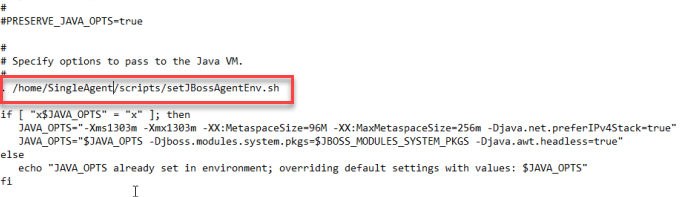
Replace ServerName with the desired name for the agent. The agent will be registered with the controller under this name.
Replace Applicare_agent_home_directory with the actual directory path of the ApplicareSingleAgent.
e.g.

Additional steps to install Applicare SingleAgent with Wrapper.