Updated Sep 13, 2024alertsApplies to 10.0, 9.2Not yet checked for Applicare 10.0
Check this against your version
This article was last updated on Sep 13, 2024, before Applicare 10.0 was released (Jun 19, 2026), and has not been re-checked for Applicare 10.0. Confirm the steps in your environment or contact Support.
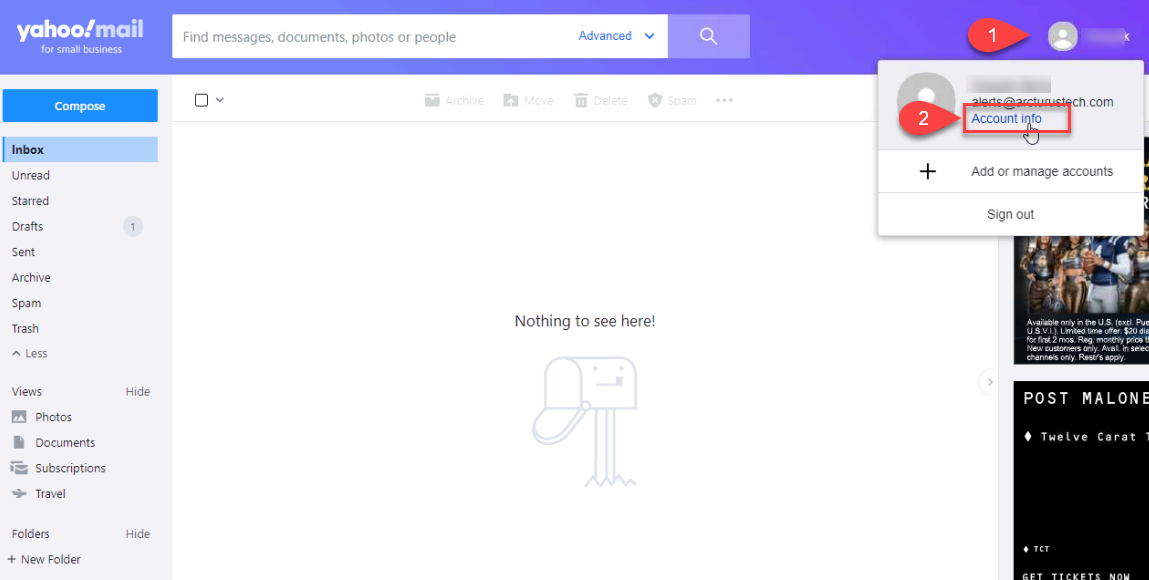
Step 2: Click on your Yahoo account icon and then select Account info.
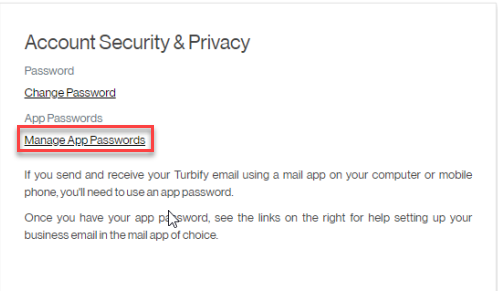
Step 3: Click on Manage App Passwords option under the Account Security & Privacy section.
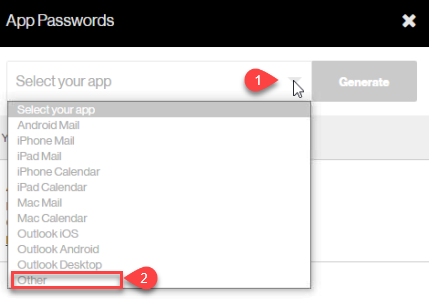
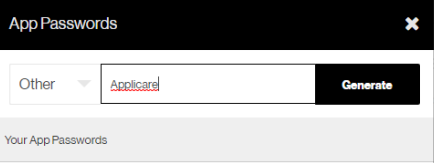
Step 4: A popup window for app will appear, Click on Other from the select your app dropdown menu, enter "Applicare" in the text box and click the generate button. Once the app password is generated, copy it and save it securely.