Overview
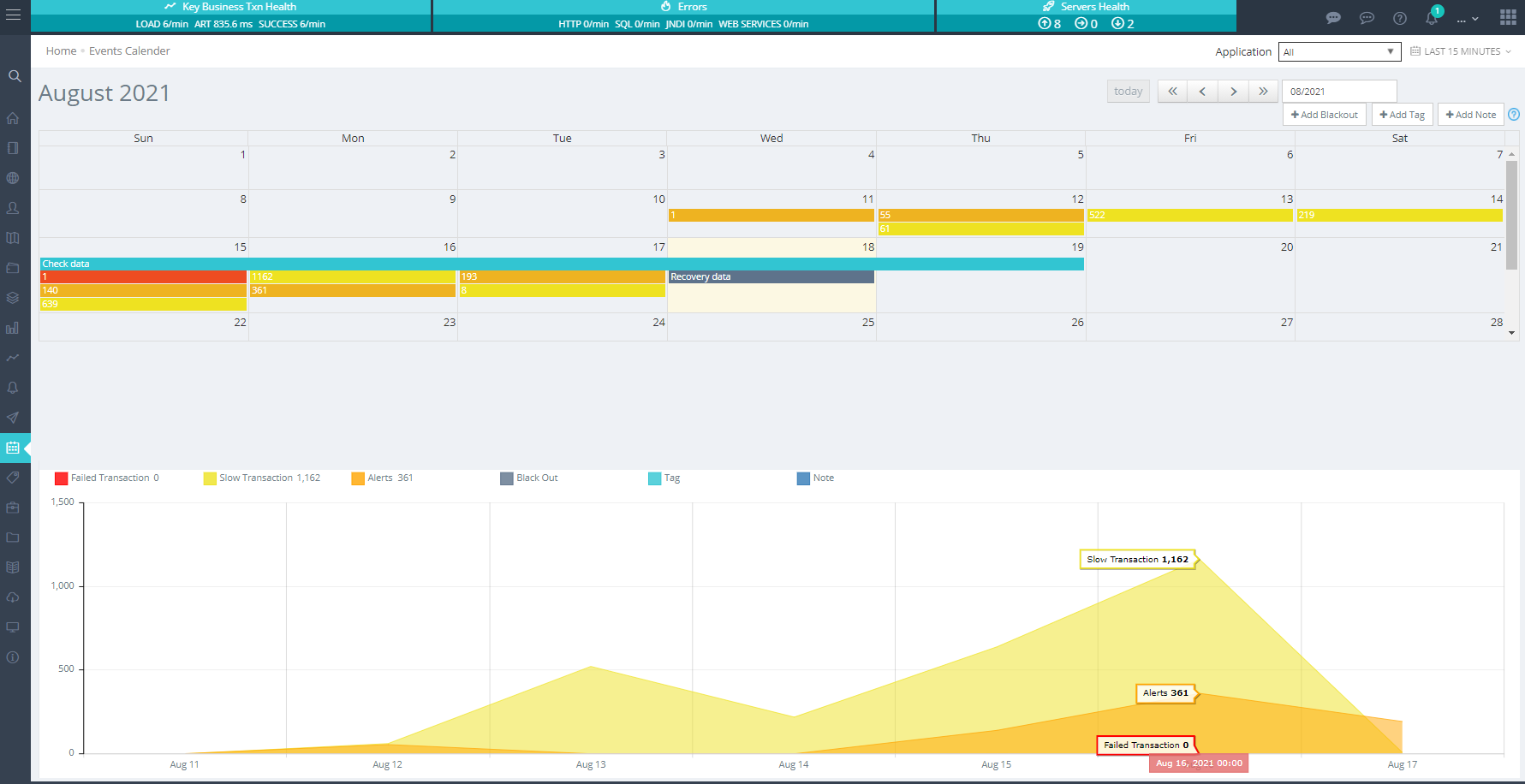
Events Calendar provides a monthly overview of entire enterprise's performance or an application's performance in a calendar format. Here you easily see how the app performance was for a particular day or for the entire month. You see number of alerts, failed transactions, slow transactions etc on a particular day and for the entire month. This way you know how things are improving
- Reduction in number of alerts over time
- Transaction's performance improving
- Reduction in number of failed transactions
- Reduction in number of slow transactions
You can add notes on any day to keep track of relevant data such as an outage occured on Aug 18 due to an app update or why that outage occurred. This way you don't have to dig root cause details/discussions/notes in your email box, they can all be available here.