Updated Sep 13, 2024windowstasksApplies to 10.0, 9.2Not yet checked for Applicare 10.0
Check this against your version
This article was last updated on Sep 13, 2024, before Applicare 10.0 was released (Jun 19, 2026), and has not been re-checked for Applicare 10.0. Confirm the steps in your environment or contact Support.
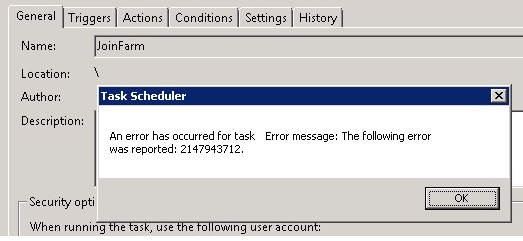
In Windows, when you confirm the creation of a new task, you might the following error:
An error with task <TaskName>. Error message: 2147943712.
This error message occurs when Windows was unable to store credentials (especially the password) of the user who run the task.
Solution:
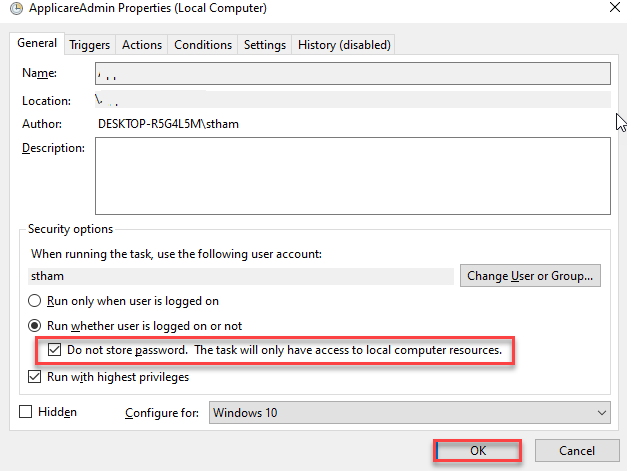
1. Enable Do not store password option and click OK.
If the task is created with the "Do not store password" option, the Java processes may continue to run in the background even after the task ends. You will need to manually terminate the Java processes using Task Manager.